If your support inbox is filled with “change my address,” “swap my size,” or “please cancel my order” emails, the issue isn’t customer care, it's post-purchase friction. Shopify does not allow customers to edit their orders on their own, which means every small correction depends on your support team. That delay often turns simple mistakes into cancellations.
The good news? This problem is preventable. By using a post-purchase order editing solution, you can let customers update eligible order details themselves within a controlled window. This reduces repetitive support tickets, prevents unnecessary cancellations, and keeps fulfillment running smoothly without losing operational control.In this Guide, we will explain exactly how self-serve order changes work on Shopify and how they directly reduce support dependency.
Why Support Tickets and Cancellations Increase After Checkout
Most order-related problems do not happen before checkout. They happen after the confirmation email is sent. Customers often rush through checkout to secure a product or complete a purchase quickly. Only after they receive the order confirmation do they carefully review the details. That is when mistakes become visible.
The most common post-checkout issues include:
Incorrect shipping address
Wrong size or variant selection
Quantity errors
Missing discount codes
Duplicate orders
If you want a deeper breakdown of the exact situations that lead to these requests, read our guide on Common Order Editing Scenarios Every Shopify Store Faces, where we analyze real post-checkout mistakes merchants handle daily.
Since Shopify does not allow customers to edit their own orders by default, every correction request turns into a support ticket. A simple address change now requires manual intervention from your team. Someone has to open the order in the Shopify admin, make the edit, verify payment adjustments if required, and ensure fulfillment has not already started.
This creates three immediate problems.
First, response delays. During peak traffic or sale periods, even small backlogs can cause customers to wait hours or days for a reply. In today’s eCommerce environment, customers expect instant control, not email exchanges.
Second, fulfillment disruption. If a change request comes in after the order has been sent to the warehouse or a third-party fulfillment service, your team must pause or reverse the process. This increases operational friction and raises the risk of shipping errors.
Third, cancellation escalation. When customers feel uncertain about whether their request will be handled in time, many choose to cancel instead of waiting. What could have been a small correction turns into a lost sale.
In high-volume stores, this pattern becomes predictable. As order volume increases, support tickets increase at the same rate. More orders mean more chances for small mistakes. Without a self-serve editing app in place, the workload scales linearly with sales.
This is why many Shopify merchants experience a rise in both support tickets and cancellations immediately after growth periods. The issue is not product quality or customer satisfaction. It is the absence of a system that allows customers to fix simple errors themselves.
What Are Self-Service Order Changes on Shopify?
Self-service order changes on Shopify allow customers to update certain details of their order after checkout without contacting support. By default, Shopify lets merchants edit orders from the admin panel. However, customers cannot modify their own orders once payment is completed. This means every address correction, size swap, or quantity adjustment must go through your support team.
A self-serve editing app changes that workflow.
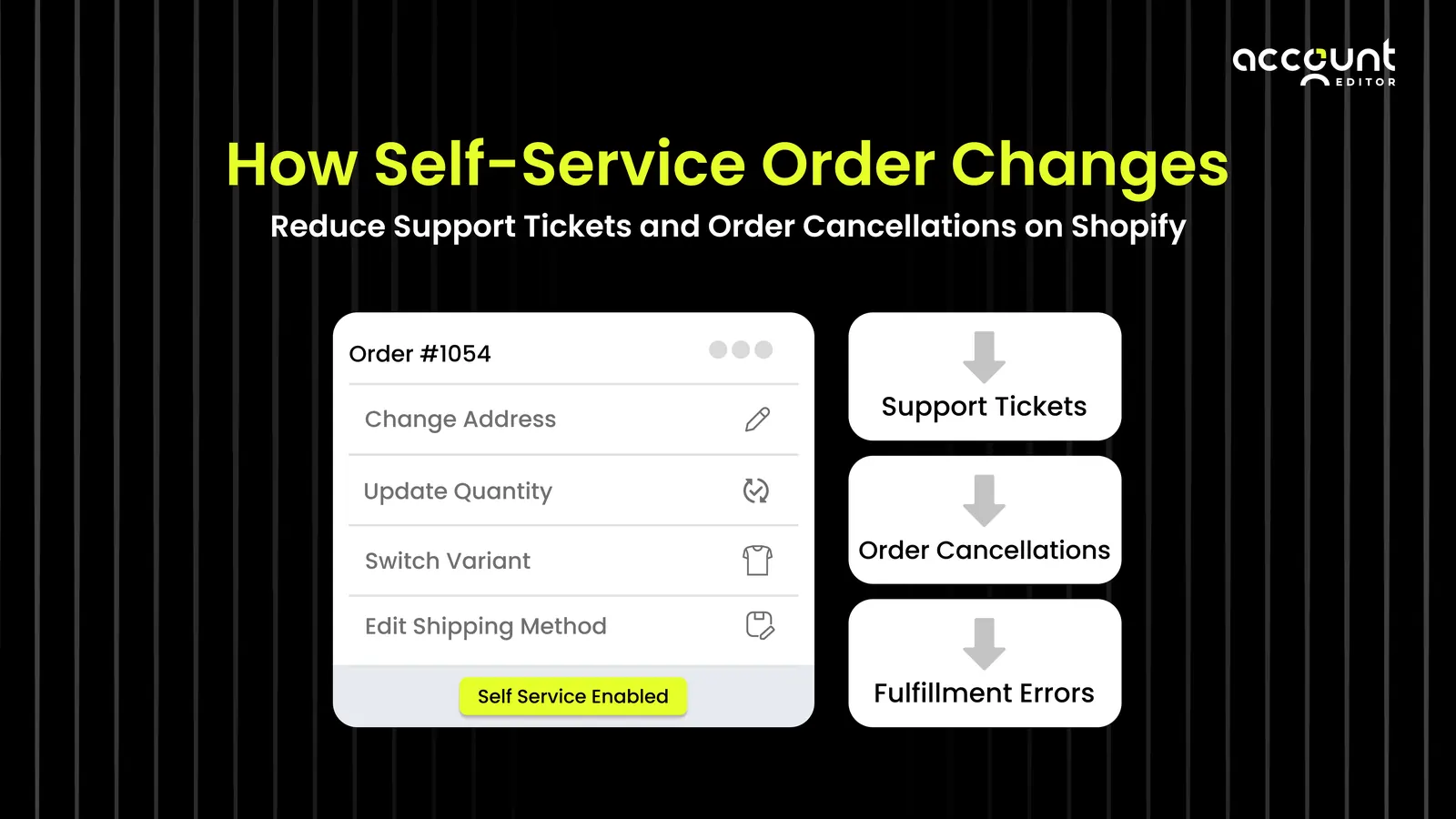
Instead of sending emails and waiting for confirmation, customers are given a controlled window during which they can edit eligible parts of their order themselves. The merchant defines what can be changed and for how long. For example, you can allow shipping address updates for two hours, enable quantity changes before fulfillment begins, or restrict edits for specific products.
This is exactly how a Shopify order editing app like Account Editor works. It adds a structured self-service layer to your store, allowing customers to make approved changes within rules you define.
When a customer makes a change within the allowed rules, the order updates automatically inside Shopify. Totals are recalculated if necessary, and the updated order details reflect in the admin. This reduces manual intervention while keeping operational control with the merchant. Account Editor works within Shopify’s existing order system. It does not replace your checkout. Instead, it adds a structured self-service layer after purchase. That is why it is often referred to as a post-purchase order editing app.
The key difference is control. You decide:
The editing time window
Which order fields can be changed
Whether additional items can be added
How Self-Service Editing Reduces Support Tickets
Most order-related support tickets are repetitive. Customers want to change their shipping address, correct a typo, swap a size, or adjust quantity. These are not complex problems, but they require manual handling when customers cannot edit their own orders.
Without self-service editing, the process usually looks like this:
The customer sends an email.
The support team opens the order in Shopify.
The order is edited manually in the admin.
Payment differences are reviewed if totals change.
Confirmation is sent back to the customer.
Even a simple change can take several minutes per ticket. When multiplied by dozens or hundreds of requests per week, this becomes a significant operational burden.
Self-service editing removes this bottleneck.
With a Shopify order editing app like Account Editor, customers can update eligible order details within a controlled time window. Instead of contacting support, they fix the issue themselves directly from the order status page. The change updates automatically inside Shopify according to predefined rules.
This reduces support tickets in three direct ways:
1. Fewer repetitive requests
Address corrections, size swaps, and quantity changes no longer enter your inbox.
2. Faster resolution
Customers do not need to wait for a response. Immediate resolution prevents follow-up emails.
3. Lower ticket escalation
Small issues are resolved before they turn into frustration or cancellation requests.
According to HubSpot’s Customer Service Trends Report, 69% of customers prefer resolving issues on their own when possible. This behavior applies directly to eCommerce. When customers are given structured self-serve control, they use it. When they are not, they contact support.
A self-serve editing app does not eliminate the need for support. Instead, it filters out low-value, repetitive tasks. Your team can focus on complex cases, refunds, delivery disputes, or high-priority customer interactions rather than correcting typos.
How Self-Service Editing Prevents Order Cancellations
Many order cancellations are not caused by product dissatisfaction. They happen because customers realize a mistake after checkout and feel they cannot fix it in time.
If cancellations are becoming frequent in your store, our detailed guide on How to Reduce Order Cancellations on Shopify outlines practical strategies beyond editing alone.
Common examples include a wrong shipping address, incorrect size, duplicate order, or missed item. When customers do not see a clear way to correct the issue immediately, cancellation feels like the safest option. Self-service editing reduces this risk by giving customers controlled flexibility.
Here is how it prevents cancellations:
1. It removes panic-driven decisions
When customers can update their address or swap a variant themselves, they do not need to cancel the entire order to fix a small mistake.
2. It reduces delivery failures
Address corrections before fulfillment prevent return-to-sender cases, which often lead to refunds and lost revenue.
3. It replaces cancellation with correction
Without editing options, cancellation becomes the only solution. With a reduce cancellation app, customers can adjust their order instead of abandoning it.
According to Baymard Institute, 18 percent of shoppers abandon purchases because the process feels too long or complicated. The same friction principle applies after checkout. When correcting an order feels difficult, customers choose the easiest exit, which is cancellation.
Additional Benefit: Revenue Recovery Through Upsells
Self-service editing does more than reduce support tickets and cancellations. It also creates a new revenue opportunity after checkout.
When customers reopen their order to make a change, they are already engaged with their purchase. They are reviewing what they bought. This moment naturally puts them back into a buying mindset. Instead of ending the customer journey at checkout, you extend it.
With a structured self-serve editing app like Account Editor, customers can adjust quantities or add eligible items while updating their order. This turns a simple correction into a revenue opportunity. For example, a customer changing a size might add an accessory. Someone updating an address may decide to increase the quantity.
This is where a Shopify upsell app strategy fits naturally into the workflow. When product suggestions are shown during the editing window, customers can accept an offer without restarting checkout. According to Shopify, upselling and cross-selling strategies can increase revenue by 25% when implemented effectively.
The key difference here is timing. Traditional upsells happen before checkout. Self-service editing creates a second opportunity after checkout, when payment is already secured.
Instead of viewing order changes as operational friction, you can treat them as controlled touchpoints for revenue growth. That is why self-service order editing is not just a support solution, but also a revenue optimization strategy.
Conclusion
Support overload and order cancellations are not always customer problems. Most of the time, they are workflow problems. When customers cannot correct simple mistakes after checkout, your support team becomes the middle layer for every small request. As order volume grows, ticket volume grows with it. Delays increase. Frustration rises. Cancellations follow.
Self-service order changes solve this at the root.
By allowing customers to update eligible order details within a controlled window, you reduce repetitive tickets, prevent panic cancellations, and protect fulfillment operations. Instead of hiring more support staff to handle corrections, you create a structured system that shifts low-value tasks away from your team.
With a Shopify order editing app, you give customers controlled flexibility while maintaining full operational oversight. The result is fewer tickets, lower cancellation rates, and a more scalable post-purchase experience. In short, self-serve editing is not just a convenience feature. It is an operational decision that directly impacts support efficiency and revenue retention.
Ready to reduce support tickets and prevent avoidable cancellations?
Enable self-service order changes in your Shopify store with Account Editor and give customers controlled flexibility without increasing operational risk.