Common Order Editing Scenarios Every Shopify Store Faces

Running a Shopify store means dealing with customer order changes almost every day. A customer enters the wrong address, picks the wrong size, or forgets to add an item. These small mistakes usually show up after checkout.
When customers can’t fix these issues themselves, they contact support or cancel the order. For many stores, this leads to extra work, delayed shipping, and more cancellations than necessary.
In this guide, we’ll walk through the most common order editing scenarios Shopify store owners face and explain why these requests happen so often.
Why Customers Ask to Change Their Orders After Checkout
Customers usually don’t ask to change their orders because something went wrong with your store.
In most cases, these requests happen because of small human mistakes made during checkout.
Online shopping moves fast. Many customers place orders in a hurry, especially on mobile. They often review their order after the payment is completed, not before. That’s when they notice issues.
Here are the most common reasons this happens:
1. Rushed Checkout Decisions
Many shoppers rush through checkout to avoid losing an item or missing a deal. They confirm the order first and check the details later. When they notice a mistake, they immediately want it fixed.
2. Autofill Causes Wrong Information
Browsers and devices automatically fill addresses, emails, and phone numbers. Sometimes this data is old or incorrect. Customers don’t always notice until they receive the order confirmation.
3. Customers Review Orders After Confirmation Emails
Order confirmation emails make customers re-check what they bought. This is often the first time they carefully look at product details, address, or quantity.
4. Small Errors Feel Risky
Even a small error, like a wrong apartment number or size, can feel risky to the customer. If they can’t change it easily, their next step is usually to contact support or cancel the order.
5. Lack of Easy Self-Service Options
When customers don’t see a clear way to fix their order themselves, they assume the only option is to message support or cancel and reorder.
When Do Order Change Requests Usually Happen?
Order change requests usually happen at very specific moments, and most Shopify store owners see the same pattern again and again.
These requests almost always come before the order is shipped, when customers still believe the mistake can be fixed. Understanding this timing is important because it explains why cancellations happen and why support teams feel constant pressure.
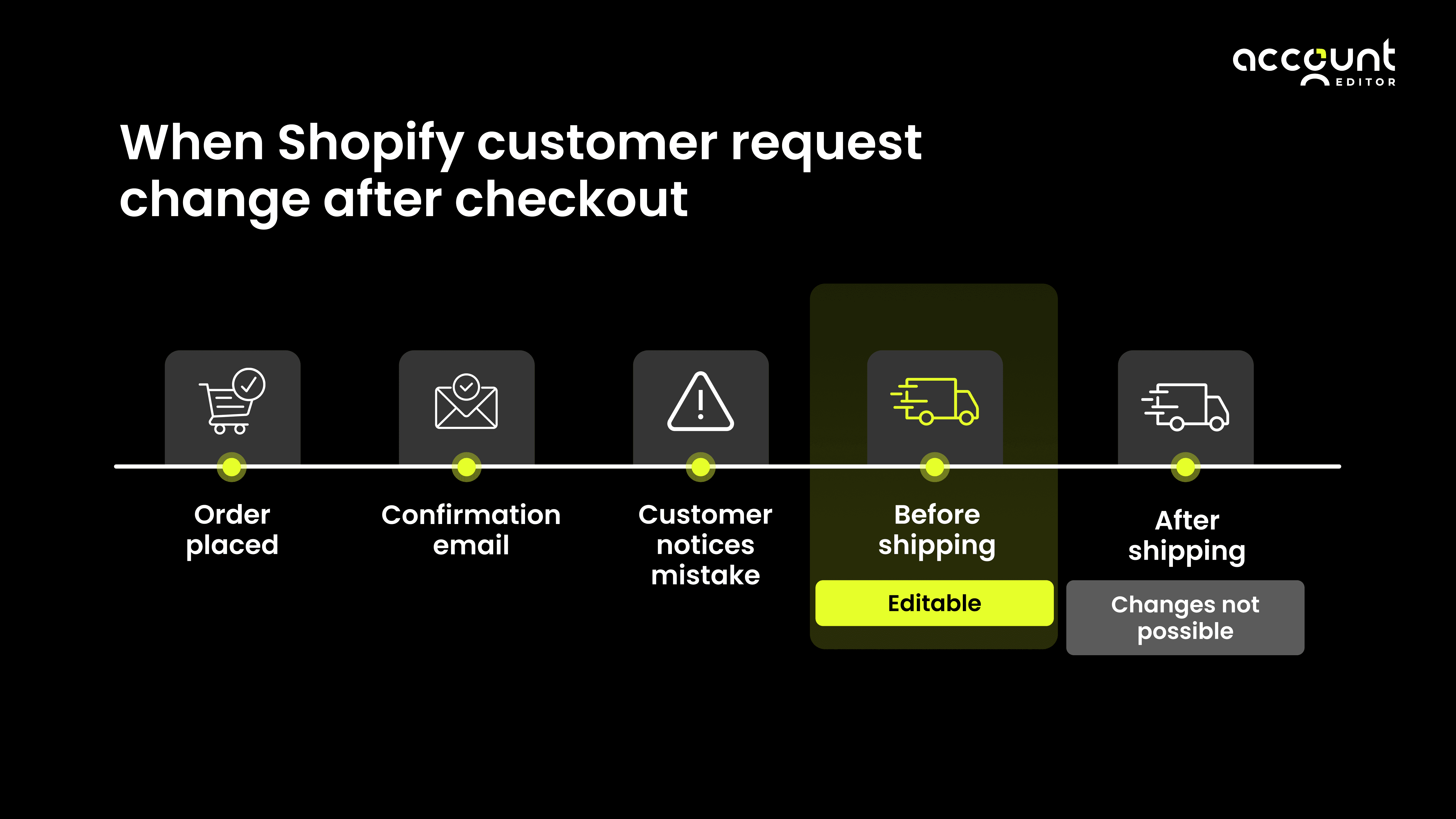
1. Right After the Order Is Placed
This is when most order change requests start.
Customers often place an order quickly, especially on mobile. After the payment is complete, they slow down and check the details. That’s when they notice:
The shipping address is wrong
The wrong size or option was selected
An item is missing
At this point, customers expect the order to be easy to update because nothing has shipped yet. If they don’t see a clear way to fix the issue, their first reaction is to message support. If they don’t get help fast, they cancel.
2. Before the Order Is Shipped
Another large group of requests comes in just before shipping starts.
Customers know that once an order moves into fulfilment or shipping begins, changes usually can’t be made. This creates urgency, especially for stores that:
Ship orders the same day
Process orders in batches
Have short fulfilment timelines
If customers feel their request might not be handled in time, cancellation becomes a safety move even when the issue is small.
3. When Customer Support Is Not Available
Many order change requests happen outside working hours, late nights, early mornings, or weekends.
During these times, customers worry their order will move forward before anyone sees their message. Since Shopify does not offer built-in customer order editing, customers feel stuck. Some stores handle this by offering a short, controlled self-edit window using tools like Account Editor, so customers can fix simple mistakes without waiting or cancelling.
Common Order Changes Shopify Store Owners See Every Day
Order change requests are not rare or unusual. For most Shopify stores, they happen every single day, often for very small reasons.
Below are the most common order changes store owners and support teams deal with after checkout.
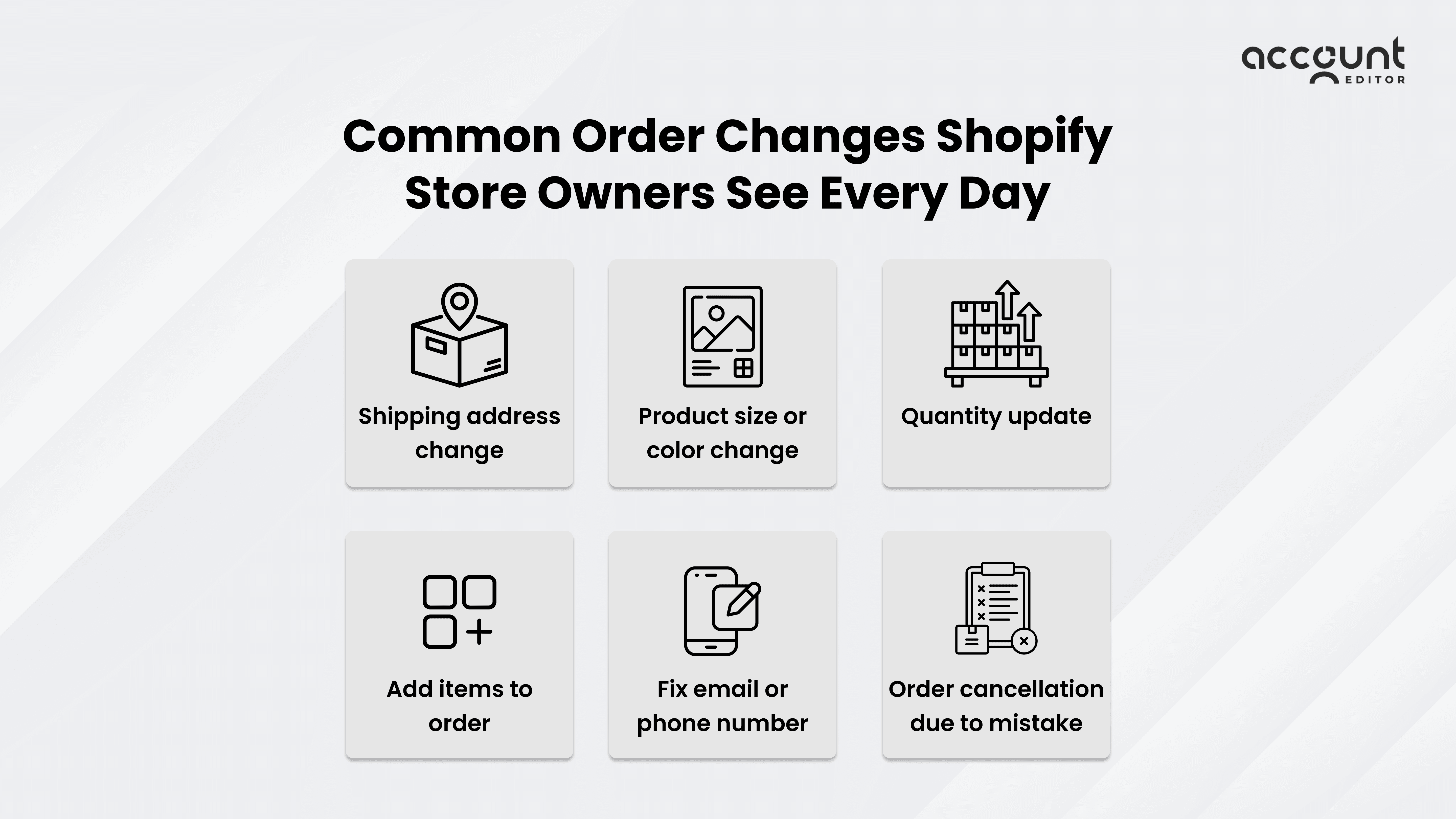
1. Customers Want to Change Their Shipping Address
This is one of the most common order change requests.
Customers often realise after checkout that:
The apartment or unit number is missing
An old address was used by mistake
The address format is incorrect
In many cases, this happens because addresses are auto-filled or saved on the customer’s device. Customers usually notice the issue only after receiving the order confirmation email.
For store owners, address change requests can be stressful because:
Shipping labels may already be created
Fulfilment may be scheduled soon
A wrong address can lead to delivery failures and returns
That’s why address changes are time-sensitive and create pressure on support teams.
2. Customers Want to Change Product Details
Another very common request is changing product details, such as:
Size
Color
Style or option
This usually happens when customers:
Click the wrong option in a hurry
Change their mind after seeing the confirmation email
Order on mobile and miss small details
From the customer’s point of view, the mistake feels small.From the store’s point of view, it often means manual checks, inventory updates, and coordination with fulfilment to avoid shipping the wrong item.
3. Customers Ask to Change Item Quantity
Quantity-related requests are also common.
Customers may realise that:
They ordered only one item instead of two
They added too many items by mistake
These requests often sound simple, but they can affect:
Inventory levels
Order totals
Payment status
If not handled carefully, quantity changes can lead to confusion, delayed fulfilment, or payment issues, especially when orders are already being prepared.
4. Customers Want to Add More Items to Their Order
Many customers remember something after checkout and want to add it to their existing order.
This happens often when:
Customers browse again after placing an order
They see a related product later
They want to avoid placing a second order
Without a controlled way to add items before fulfilment, customers usually contact support.If adding items feels complicated, some customers cancel the order and start over, which creates unnecessary extra work for the store.
5. Customers Ask to Fix Contact Details
Contact detail mistakes are easy to make and easy to miss.
Customers may enter:
The wrong email address
An incorrect phone number
They usually notice this when they:
Don’t receive order updates
Miss delivery messages from the carrier
For store owners, incorrect contact details can lead to:
Missed delivery attempts
Unanswered customer messages
Confusion during order tracking
Even though these fixes are small, they often require manual action in the Shopify admin.
6. Customers Cancel Orders Due to Small Mistakes
Many order cancellations are not caused by dissatisfaction.
They happen because customers feel there is no easy way to fix a small mistake.
Instead of waiting for support to respond, customers often:
Cancel the order
Place a new order with the correct details
For Shopify store owners, this creates:
Extra refunds
Duplicate orders
More work for support and operations
Most of these cancellations could be avoided if customers had a simple way to fix their order before it ships.
Why Handling Order Changes Manually Is Hard for Store Owners
Handling order changes manually might seem manageable at first, especially for small Shopify stores. But as order volume grows, these requests quickly become difficult to handle on a daily basis. What starts as a few messages soon turns into a constant stream of order change requests that demand quick action.
Each request requires time, attention, and careful handling. When everything depends on manual work, even simple changes can interrupt normal store operations.
If you’re comparing manual order edits with customer self-service options, this comparison guide can help.
1. Too Many Support Messages
Most order change requests reach store owners through support messages. Customers ask to update addresses, change products, or fix small mistakes. These messages often arrive throughout the day and sometimes outside business hours.
Support teams must pause their work to open the Shopify admin, locate the order, check its status, and make sure the order hasn’t been shipped yet. When this happens repeatedly, the support inbox fills up quickly. Over time, teams spend more time fixing order issues than helping customers with questions or long-term problems.
2. Higher Chance of Mistakes
Manual order edits also increase the chance of errors. When changes are handled one by one, it’s easy to miss a detail or update the wrong part of an order.
A support agent might change the address but forget to update the fulfillment notes. Another might swap a product but miss a size or colour option. Even small mistakes can lead to the wrong item being shipped or orders needing refunds and returns. As order volume increases, the risk of these errors grows.
3. Orders Get Delayed
Order changes often happen close to shipping time. When a request comes in, teams may need to stop the order, review the change, and confirm everything before shipping can continue.
This can slow down fulfillment, especially for stores that ship quickly or work in batches. Delays can affect delivery timelines and create confusion for both customers and fulfillment partners. In some cases, an order that could have shipped on time ends up delayed because of a last-minute manual edit.
How Letting Customers Edit Orders Improves Their Experience
After checkout, customers often review their order more carefully. If they notice a small mistake and cannot fix it, the experience quickly becomes stressful. Customers worry about receiving the wrong item, missing delivery updates, or dealing with returns later. Even when the mistake is minor, the lack of control makes the situation feel bigger than it is.
When customers are allowed to edit their orders within a short and safe time window, the experience feels very different. Instead of feeling stuck, customers feel reassured that they can correct small errors on their own. This sense of control reduces anxiety and builds trust, especially in the moments right after payment.
Self-service order editing also removes the need for customers to wait for support replies. Many shoppers place orders outside business hours and don’t want to wait until the next day for help. When they can fix an issue immediately, frustration drops and confidence in the store increases.
Some Shopify stores offer this kind of experience by allowing customers to make limited, approved changes after checkout using tools likeAccount Editor. This helps customers resolve issues quickly without interrupting fulfilment or support workflows.
Simple Tips to Manage Order Changes Without Problems
Allow order changes only for a short time
Give customers a limited window to make changes after checkout. This helps fix mistakes quickly while keeping fulfilment on schedule.Limit what customers can change
Allow only safe changes such as address updates, product options, or quantity changes. This reduces risk and prevents complicated edits.Stop edits once shipping starts
Once an order moves to fulfillment, changes should be locked. This avoids confusion, shipping errors, and delivery delays.Reduce back-and-forth with support
Clear order editing rules help customers understand what they can and cannot change, which lowers unnecessary support messages.Keep fulfilment teams informed
Make sure any order change is reflected clearly before the order is shipped so fulfilment teams always work with the latest details.Avoid cancel-and-reorder situations
When customers can fix small mistakes, they are less likely to cancel orders just to place them again.
Review common change requests regularlyLook at repeated order change patterns to improve checkout clarity and reduce future mistakes.
Conclusion:
Order change requests are a normal part of running a Shopify store. Customers make small mistakes, notice them after checkout, and want quick fixes. The problem isn’t the request itself, it’s how much time, effort, and stress these requests create when handled manually.
When order changes are difficult to manage, they lead to support overload, delayed fulfillment, and unnecessary cancellations. Over time, these small issues add up and affect both customer experience and daily operations.
Shopify store owners who handle order changes in a clear and structured way see better results. Customers feel more confident after checkout, support teams deal with fewer repetitive messages, and fulfillment runs more smoothly.
Giving customers a short, controlled way to fix simple mistakes without cancelling orders helps create a calmer and more reliable post-purchase experience. This is where solutions like Account Editor fit naturally into growing Shopify stores by helping merchants reduce cancellations, lower support workload, and let customers handle simple edits on their own.
If your store frequently deals with address changes, product swaps, or last-minute order fixes, it may be time to rethink how order changes are handled.