From Cancellation Risk to Revenue Opportunity: The Power of Post-Purchase Editing
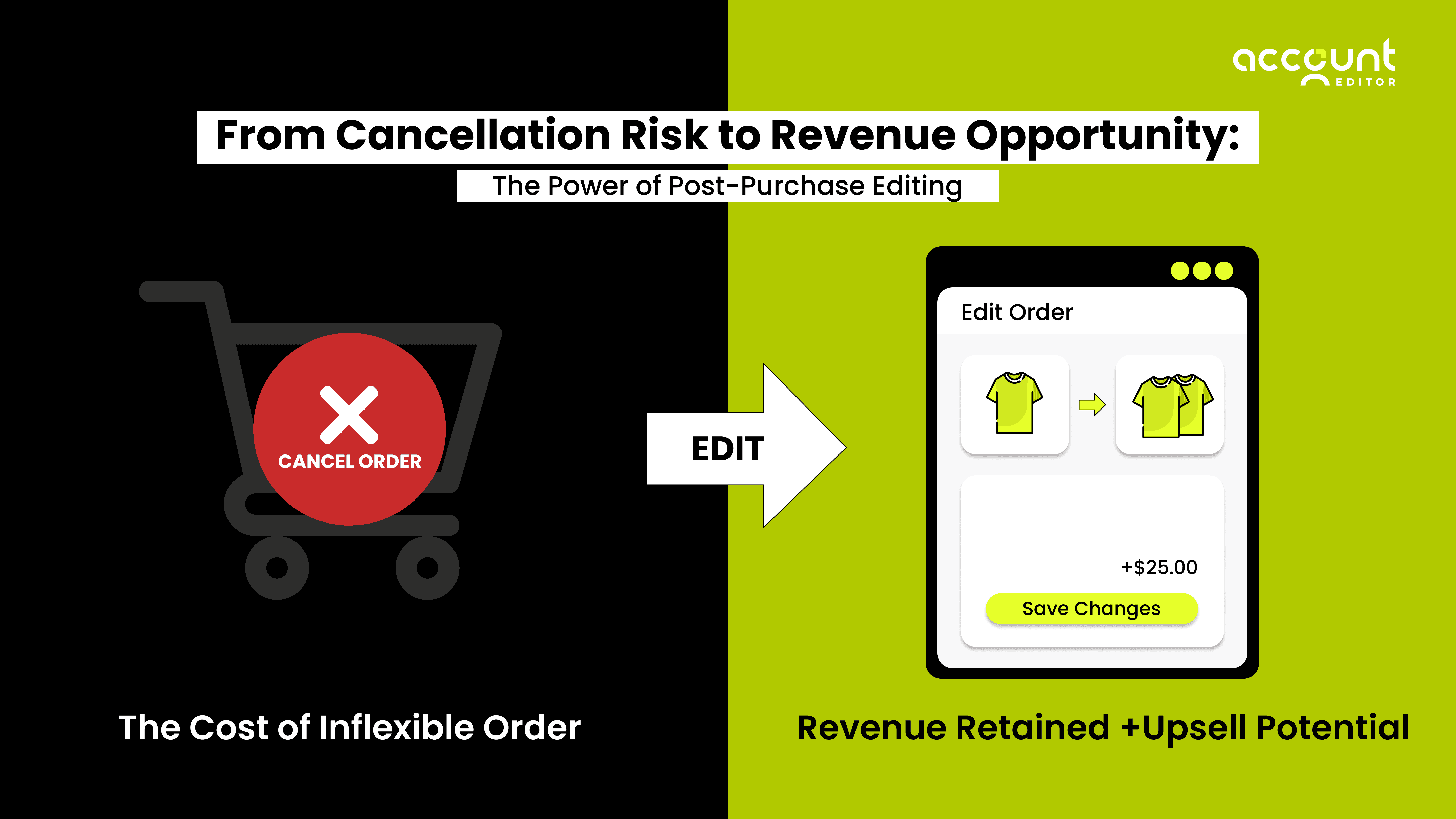
You work hard to get a customer to click “Buy Now.” But the real risk often begins after checkout. A customer spots a small mistake in their shipping address. They ordered the wrong size. Or they realize they forgot to add one more item. Instead of asking for a quick fix, they request a cancellation.
Not because they changed their mind, but because cancelling feels easier than fixing.
For many Shopify merchants, these post-purchase errors quietly turn into unnecessary refunds, support tickets, and lost revenue. But what if customers could correct small mistakes on their own without contacting support and without cancelling the order?
Giving customers controlled edit access after checkout creates a safety net. It turns “Cancel my order” into “Let me fix this.” It protects revenue, reduces support workload, and improves the post-purchase experience, all without disrupting your operations.
Let’s explore how this simple shift can transform cancellation risk into a revenue opportunity.
The Moment After Checkout Is High-Risk
Most merchants think the hard part is getting the customer to complete the checkout. In reality, the real risk often starts after checkout.
Here’s what usually happens:
The customer completes payment quickly.
They receive the confirmation email.
For the first time, they carefully review the order details.
And that’s when small mistakes show up.
Maybe the shipping address has a typo. Maybe they selected the wrong size. Maybe they forgot to add one more product. During checkout, customers are focused on finishing the purchase. After checkout, they slow down and double-check everything.
This is where risk begins.
If customers don’t see an easy way to fix a small error, they often choose the fastest option available: cancel the order and reorder. From their perspective, cancelling feels safer and simpler than emailing support and waiting for a reply.
But from a merchant’s perspective, that single cancellation can mean:
Lost revenue
Refund processing fees
Inventory disruption
Extra support tickets
Delayed fulfillment
The important thing to understand is this: Most of these cancellations are not caused by dissatisfaction. They are caused by friction.
When customers don’t have controlled edit access after checkout, even minor mistakes turn into major issues. The post-purchase moment is not just a confirmation stage.
It is a high-risk window where trust, clarity, and flexibility decide whether revenue is retained or refunded.
Why Post-Purchase Errors Trigger Cancellations
Most order cancellations don’t happen because customers changed their minds. They happen because of small, fixable mistakes.
After checkout, customers finally slow down and review their order carefully. That’s when they notice:
The shipping address has a typo
The apartment number is missing
The wrong size or colour was selected
The quantity is incorrect
They forgot to add one more product
These are normal errors, especially on mobile devices, where checkout is fast and distractions are common. The real problem begins when customers don’t see an easy way to fix the mistake.
If there is no clear edit option available after checkout, customers feel uncertain. They don’t know:
If support responds quickly
If the change can be made before shipping
If their request is handled correctly
So they choose the fastest and safest option they can see: Cancel the order and place a new one. From the customer’s perspective, this feels simple. From the merchant’s perspective, it creates unnecessary loss.
A small address correction becomes a refund. A wrong variant becomes a cancelled payment. A forgotten item becomes a lost upsell opportunity.
This is exactly where tools like Account Editor are built to solve this gap.
Instead of forcing customers to cancel, it gives them controlled access to edit their orders after checkout, within rules you define. Customers can correct small mistakes on their own, without contacting support and without triggering refunds.
When customers can fix instead of cancel, revenue stays protected.
For real examples of how these small mistakes happen in everyday stores, see common order editing scenarios every Shopify store faces.
The Self-Serve Editing Safety Net
After checkout, customers don’t want to cancel their order. In most cases, they simply want to fix a small mistake. The problem is not dissatisfaction; it’s a lack of control. When a customer notices an error, such as a wrong address or incorrect variant, their first instinct is to look for an easy way to correct it. If they cannot find a clear option to edit the order, they assume the only safe solution is cancellation. From their perspective, cancelling feels faster and more certain than contacting support and waiting for a response.
This is where a self-serve editing system acts as a safety net.
Instead of forcing customers to rely on support teams, it allows them to make controlled changes on their own during a defined time window after checkout. The merchant decides how long edits are allowed and what type of changes are permitted. Customers can correct details without triggering refunds, payment reversals, or operational disruptions.
This small shift changes customer behaviour in a significant way. When there is no edit option available, cancellation becomes the easiest path. When a structured editing option is available, correction becomes the easiest path. The customer still wants the product; they just want accuracy.
Account Editor provides this controlled flexibility. It enables post-purchase editing while keeping merchant safeguards in place. You can define the editing timeframe, restrict certain products, and ensure that fulfilment workflows are protected.
The result is practical and measurable. Instead of turning minor errors into full cancellations, customers resolve issues immediately. Revenue remains captured, support tickets decrease, and the post-purchase experience becomes smoother. A self-serve editing system does not remove merchant control. It simply replaces reactive cancellation handling with proactive correction.
You can also explore how self-service order changes reduce support tickets and order cancellations on Shopify for a deeper look at the operational impact.
Retaining Revenue Without Increasing Support Cost
For many Shopify merchants, preventing cancellations often feels like it requires more work, more manual edits, more emails, more monitoring, more staff time. But the goal is not just to retain revenue. The goal is to retain revenue without increasing operational burden.
If every saved order requires manual support involvement, you are simply shifting the workload, not solving the problem.
This is where a structured post-purchase editing system creates real business value. It allows merchants to protect revenue while reducing dependency on customer support teams.
You can also read why manual order changes increase support tickets and fulfillment errors in Shopify to understand the hidden operational risks.
Let’s break this down clearly.
1. Converting Cancellation Requests into Order Corrections
When customers cannot edit their order themselves, they usually send messages like:
“Please cancel my order.”
“I entered the wrong address.”
“I ordered the wrong size.”
Support teams then manually intervene, either cancelling the order or editing it in the Shopify admin. This reactive process consumes time and creates delays.
With controlled edit access, many of these requests never reach support in the first place. Customers correct their own mistakes within the allowed timeframe. The order remains active. The payment stays captured. Instead of losing revenue and processing refunds, the original order continues smoothly toward fulfillment.
That is revenue retention without additional workload.
2. Reducing Repetitive Support Tickets
Post-purchase mistakes are one of the most common types of support inquiries in e-commerce. Address corrections, variant swaps, and quantity adjustments may seem small, but they generate a high volume of repetitive tickets. These are operational tasks, not strategic conversations.
When customers are given structured self-serve access, many of these tickets disappear. The support team no longer needs to handle simple corrections that customers can safely manage themselves.
This does not eliminate support, but it improves how support resources are used. Teams can focus on complex issues, customer relationships, and growth activities instead of repetitive manual edits.
3. Preserving Payment and Avoiding Refund Friction
Every cancellation triggers a financial process.
Refunds may involve payment gateway fees, transaction costs, reconciliation tasks, and reporting adjustments. In some cases, those fees are not fully recoverable. When an order is edited instead of cancelled, the payment remains intact. The transaction does not restart. The accounting process remains cleaner.
From a business perspective, this reduces financial friction. From a customer perspective, it reduces uncertainty and waiting time. Revenue stays protected without increasing backend complexity.
4. Improving Efficiency as Order Volume Grows
As a Shopify store scales, support volume scales with it.
If post-purchase errors are handled manually, growth automatically increases operational pressure. What worked at 50 orders per day may not work at 500. A structured post-purchase editing system creates scalability. Customers correct their own minor mistakes within a controlled environment, regardless of order volume.
This means you can retain more revenue while keeping your support team lean and focused. Revenue growth should not require support expansion for preventable issues. Retaining revenue is important. Retaining revenue without adding operational cost is even more important.
That is the difference between reacting to cancellations and preventing them in a structured way.
Turning Edits into Upsells
Most merchants see post-purchase editing as a defensive strategy, a way to prevent cancellations. But it can also become a growth strategy.
The moment after checkout is not just a risk window. It is also a high-attention window. Customers have just completed a purchase. They are engaged, confident, and already in buying mode. When customers open their order to make a small correction, they are interacting with your store again. That interaction creates a new opportunity.
Instead of limiting post-purchase editing to corrections only, you can use that moment to offer relevant additions. For example:
A complementary product
An accessory that matches their purchase
A bundle upgrade
A small add-on at a discounted rate
Because payment is already authorised, the buying friction is lower. Customers do not need to go through the full checkout process again. The experience feels simple and seamless. This is where post-purchase editing becomes more than a support tool; it becomes a revenue channel.
A structured system like Account Editor allows merchants to combine editing access with controlled upsell logic. When customers revisit their order within the edit window, they can see recommended items that are relevant to their purchase. If they choose to add something, the order updates without disruption.
The key difference between pre-purchase and post-purchase upsells is timing. During checkout, customers are focused on completing payment. After checkout, they are reviewing their decision. That second moment often leads to additional purchases, especially if the offer feels helpful rather than aggressive. Instead of losing revenue to cancellations, you create opportunities to increase order value.
Post-purchase editing protects existing revenue.
Post-purchase upselling grows it.
When both work together, the result is not just fewer cancellations but a higher average order value and better customer experience.
Building a Controlled Edit Window Strategy
Giving customers edit access does not mean giving them unlimited freedom.
The success of post-purchase editing depends on control.
A well-designed edit window allows customers to fix small mistakes but only within clear boundaries that protect your operations.
The first decision is timing. Some Shopify stores allow edits for 30–60 minutes, especially if orders are processed quickly. Others may allow a few hours or keep editing open until fulfilment, depending on their workflow. The right timeframe should match your fulfilment speed.
The second step is deciding what customers can modify.
You might allow:
Shipping address corrections
Phone number updates
Variant swaps
Quantity changes
While restricting sensitive items like custom products. This prevents operational issues while still solving common mistakes. Payment handling is also important. If a customer increases the order value, the system must manage the additional payment properly. If the edit window closes, further changes should be restricted automatically.
When the edit window is controlled, editing becomes predictable instead of risky. Customers feel secure. Operations stay protected. And unnecessary cancellations decrease.
Operational Safeguards for Shopify Merchants
A common concern merchants have is control. If customers can edit orders after checkout, will it disrupt fulfillment? Will it create inventory issues? Will it interfere with payment workflows? These concerns are valid. Post-purchase flexibility must never come at the cost of operational stability. That’s why editing access should always function within defined safeguards.
First, editing must stop automatically once fulfillment begins. Once an order is picked, packed, or marked fulfilled, further changes should not be allowed. This protects your shipping workflow and prevents confusion.
Second, inventory availability must be respected. If a customer attempts to swap or add an item, the system should check stock levels in real time. If the item is unavailable, the change should be restricted.
Third, certain products may need to be protected. Custom-made items, digital goods, event tickets, or wholesale orders may require editing restrictions. A structured editing system should allow merchants to define which products cannot be modified.
Payment handling is another important safeguard. If an edit increases the order value, the additional payment must be collected before fulfillment continues. If the edit window closes, further changes should be automatically blocked. When these controls are in place, post-purchase editing does not create operational chaos. It creates clarity. Instead of handling manual edits and emergency cancellations, you establish a predictable workflow where customers can fix small mistakes safely within boundaries you define.
Controlled flexibility is what makes post-purchase editing sustainable. It protects fulfillment, it protects inventory, it protects revenue. And most importantly, it reduces unnecessary cancellations without adding risk to your operations.
Conclusion
Most order cancellations are not caused by lost interest. They are caused by small, fixable mistakes. When customers cannot correct errors after checkout, cancellation becomes the easiest option. But when you provide controlled edit access within a defined window, that behaviour changes. Customers fix instead of cancel.
Post-purchase editing protects revenue, reduces unnecessary support tickets, and creates opportunities to increase order value, all without disrupting fulfillment when proper safeguards are in place. The moment after checkout does not have to be risky. With the right structure, it becomes a system that retains revenue instead of losing it.
If preventable cancellations are affecting your Shopify store, it may be time to evaluate how your post-purchase experience is structured and whether giving customers safe edit access could make the difference.