What the Best Shopify Brands Use to Simplify Order Edits on Shopify
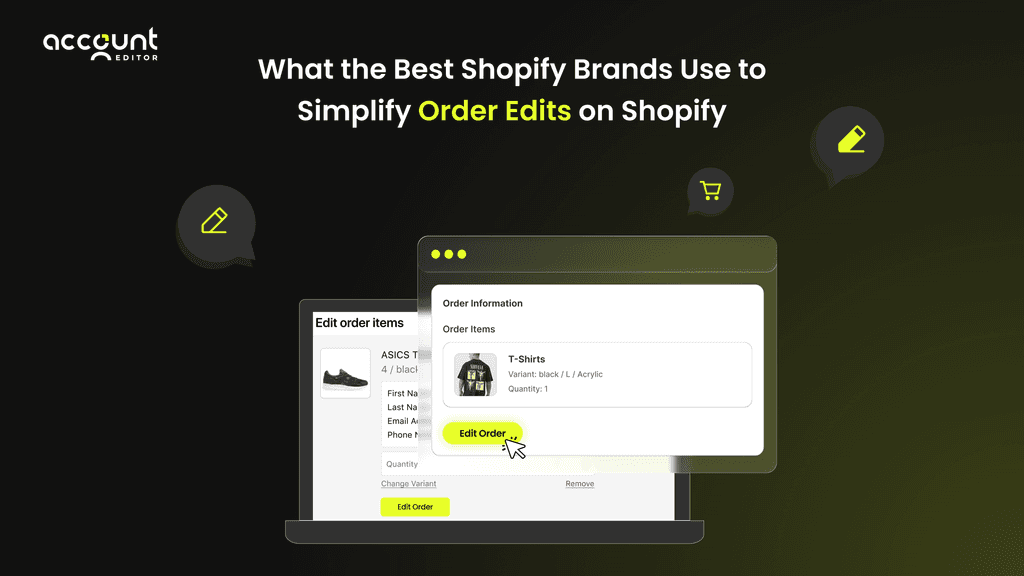
Order editing is a crucial part of modern Shopify order management. Customers expect to fix mistakes instantly, from wrong sizes to address errors. Shopify’s native order editing handles basic updates but often causes delays, extra support tickets, and returns.
Top Shopify brands go further with automated order editing workflows, self-service portals, and flexible order modification tools that let customers edit orders after checkout. This reduces errors, speeds up fulfillment, cuts support workload, and creates a seamless post-purchase order changes experience.
Why Order Editing Has Become a Critical Part of Modern Order Management
In today’s fast-paced Shopify environment, accurate order management is essential. Mistakes like wrong sizes, incorrect addresses, or forgotten add-ons can cause returns, delays, and unhappy customers. While Shopify’s native order editing handles basic updates, it often falls short for growing stores.
Customers expect self-service options and real-time updates to fix errors, change quantities, or update addresses instantly. Without these, support tickets rise and operations slow down.
Common scenarios creating frustration include:
Wrong size ordered (Shopify “wrong size ordered fix”). Selecting the wrong variant can trigger returns or support inquiries. Tools like Account Editor allow customers to instantly swap sizes or colors without contacting support.
Address mistakes. Mistyped or outdated addresses can result in failed deliveries. Account Editor’s portal validates addresses in real time, reducing shipping errors.
Forgotten add-ons. Customers can add or remove items post-purchase using a self-service portal, increasing order value without manual intervention.
Last-minute delivery changes. Updating shipping speed or method is often blocked in native tools, but a dedicated app enables these edits instantly.
Operational Costs of Poor Order Editing Workflows
Without smooth, automated order editing, stores face tangible operational and financial consequences. Manual fixes slow fulfillment, increase errors, and put unnecessary strain on support teams, ultimately impacting customer satisfaction and revenue.
Increased returns & exchanges. Mistakes left uncorrected lead to more returns, increasing handling and restocking costs.
Excessive support tickets. Manual edits create a flood of tickets, overwhelming customer service teams.
Delays in fulfillment. Each correction slows processing, pushing back delivery times.
Inventory mismatches & overselling. Without real-time updates, stock levels may be inaccurate, increasing the risk of overselling or fulfillment errors.
Modern order editing SaaS like Account Editor solves these issues by offering a self-service Shopify customer portal where shoppers can make instant post-purchase edits. This reduces support workload, prevents mistakes, improves fulfillment speed, and enhances the overall post-purchase experience.
What Shopify’s Native Order Editing Can (and Cannot) Do
Shopify’s built‑in editing tools allow basic post‑purchase adjustments you can modify quantities, add or remove items, and update shipping details before fulfillment. This gives you a little flexibility when customers spot a mistake quickly after checkout.
However, Shopify’s native order editing has major limitations: key edits like variant swaps, last-minute add-ons, or address changes after fulfillment aren’t supported. Once fulfillment begins, most edits are locked out. For growing or high-volume stores, this restrictiveness can slow down fulfillment, increase support workload, and frustrate customers.
For a full comparison between native editing and a dedicated order-editing solution, and to understand why many merchants choose a third‑party app instead, see our detailed breakdown in Shopify Order Editing App vs Native Editing.
Proven Workflows Top Shopify Brands Use to Reduce Errors & Simplify Post-Purchase Changes
Managing post-purchase corrections and order changes effectively can make a huge difference in operational efficiency and customer satisfaction. Leading Shopify brands rely on automated workflows that give customers control over their orders without increasing support workload.
Workflow #1 – Automated Address Change Window
Customers can instantly correct shipping mistakes through a self-service customer portal, reducing failed deliveries and RTO (Return to Origin). This ensures orders reach the correct destination without manual intervention.
Workflow #2 – Self-Service Size & Variant Corrections
Shoppers can fix the “wrong size ordered” scenario in real time. They can swap sizes, colors, or variants immediately after checkout, preventing unnecessary returns and improving the overall post-purchase experience.
Workflow #3 – Add/Remove Items Before Fulfillment
Forgotten add-ons or last-minute product changes are no longer a hassle. Customers can add or remove items before fulfillment, creating upsell opportunities while keeping orders accurate and merchant-friendly.
Workflow #4 – Real-Time Sync to 3PL or Warehouse Teams
Order changes automatically sync with inventory and fulfillment systems, improving picking accuracy and reducing errors. Warehouse teams always operate with the most up-to-date order information, even at high volumes.
Workflow #5 – Automated Support Deflection Using Order Editing
By enabling self-service resolution for 30–60% of common order issues, stores can significantly reduce support tickets. This cuts operational costs, streamlines processes, and allows support teams to focus on higher-value tasks.
Using these workflows, Shopify brands not only simplify post-purchase order changes Shopify but also enhance operational efficiency, reduce returns, and deliver a seamless customer-controlled ordering experience.
Boost customer satisfaction and reduce support load, start simplifying order edits today.
Technical Foundations of Streamlined Order Editing
While many Shopify blogs focus on surface-level tips, top-performing brands know that efficient order editing requires understanding the technical mechanics behind it. These backend constraints determine what changes are possible and explain why order editing apps for Shopify, like Account Editor, often outperform Shopify’s native order editing tools.
How Shopify Order States Limit Editing
Whether an order is unfulfilled, partially fulfilled, or fulfilled, it directly impacts what you can edit orders on Shopify. Once fulfillment starts, most changes like variant swaps or shipping updates are blocked, limiting post-purchase order changes to Shopify and increasing support workload.
Native editing supports only basic adjustments before fulfillment begins, such as changing quantities or updating shipping details.
Variant swaps, add/remove items, or delivery changes are often restricted in Shopify’s native tool.
Once fulfillment starts, most edits become blocked, preventing last-minute corrections.
These constraints make it challenging for high-volume stores to edit orders Shopify efficiently, especially when fast-moving fulfillment teams need flexibility.
Inventory, Payment & Fulfillment Restrictions
Beyond order status, Shopify’s internal systems create limits that affect post-purchase order changes Shopify. Inventory reservations, payment rules, and fulfillment locks can block edits, making self-service order editing and editable orders Shopify difficult without an app.
Inventory reservations may prevent adding or replacing items in existing orders.
Payment capture rules restrict changes to totals or line-item pricing after checkout.
Fulfillment locks block edits once a 3PL or warehouse starts processing an order.
Without automation or an order modification tool like AccountEditor, these limitations make scalable, self-service order editing and real-time updates difficult, slowing fulfillment and increasing support tickets in Shopify stores.
How Order Editing Directly Impacts Revenue, AOV & Customer Retention
Effective order editing doesn’t just prevent mistakes, it drives measurable business results. Top Shopify brands use streamlined, self-service order editing workflows to increase revenue, boost average order value (AOV), and improve customer retention.
Increased AOV Through Post-Purchase Upsells
Allowing customers to edit orders Shopify after checkout opens opportunities for post-purchase upsells. Shoppers can add items they forgot, upgrade products, or include accessories, all through a Shopify customer portal for order updates. Lower friction in making these adjustments leads to more conversions and higher order value.
Reduced Refunds & Returns
Mistakes like wrong sizes or incorrect shipping details can trigger costly returns. By enabling post-purchase order changes Shopify, with tools like AccountEditor, customers can correct errors themselves, reducing wrong-size ordered Shopify fix cases, lowering RTO, and minimizing reshipment costs. This not only saves money but also strengthens trust and encourages repeat purchases.
By streamlining post-purchase order changes Shopify and enabling self-service order editing, merchants turn potential headaches into revenue opportunities. Faster corrections, fewer returns, and effortless upsells not only boost AOV but also strengthen customer loyalty, making efficient order editing a true growth lever for Shopify stores.
Conclusion
Efficient order editing is no longer optional; it’s essential for Shopify stores aiming to scale, reduce errors, and delight customers. Shopify’s native tools handle basic updates but often slow fulfillment and increase support tickets.
Top brands use AccountEditor to enable self-service order editing, automate post-purchase order changes Shopify, and provide a seamless Shopify customer portal for order updates, turning tedious edits into a fast, error-free, revenue-boosting process.
By adopting a dedicated order editing solution, merchants can:
Empower customers to edit orders after checkout without support intervention
Reduce operational costs and support tickets Shopify store
Minimize errors, returns, and fulfillment delays
Increase AOV through post-purchase upsells
Deliver a frictionless post-purchase experience optimization that boosts loyalty and retention
For ambitious Shopify stores, embracing self-service, automated order editing isn’t optional it’s essential. Investing in a solution like AccountEditor ensures your store scales efficiently, keeps customers satisfied, and turns every post-purchase interaction into an opportunity for growth.