10 Essential Features Every Shopify Order Editing App Must Have
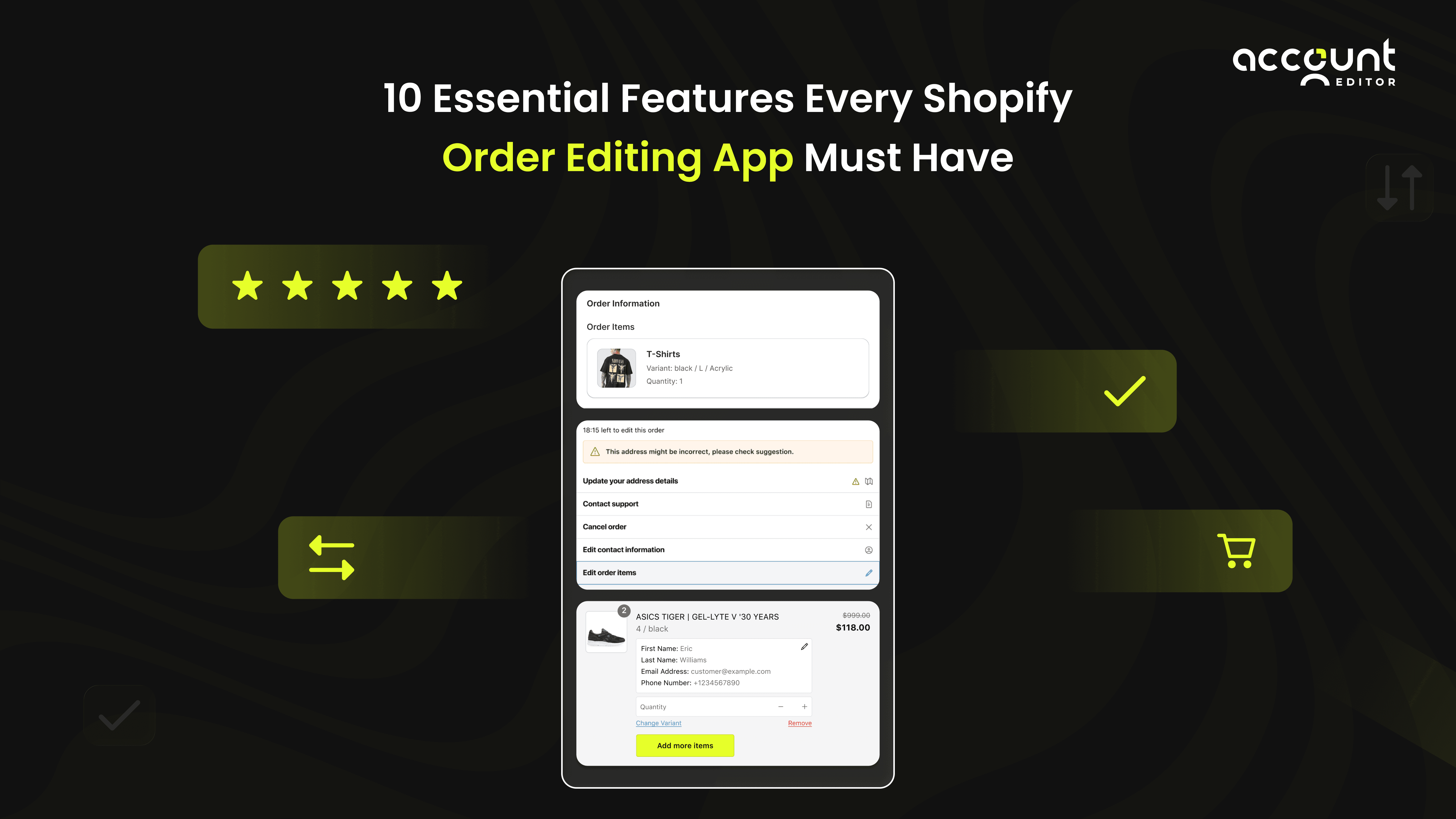
Here’s a number most Shopify merchants underestimate: 25–35% of all support tickets are due to order mistakes that customers could fix themselves. A wrong size, an incorrect address, a duplicate item, a sudden post-checkout change. These simple issues become costly operational setbacks when merchants lack a powerful order editing app.
As e-commerce scales, post-purchase flexibility is no longer optional. It’s the backbone of efficient operations. The right editing system enables controlled timeframes, safe permissions, accurate recalculations, smart cancellations, and post-purchase upsells while protecting fulfillment.
This guide breaks down the 10 essential features every modern order editing solution must include to help merchants reduce workload, improve customer experience, and scale with confidence.
Why Shopify Stores Need a Modern Order Editing App?
Shopify merchants operate in a fast-paced environment where small post-purchase mistakes, like wrong variants, incorrect addresses, or quantity changes, can quickly turn into costly delays or support tickets. A modern editing app solves this by giving customers controlled, self-service tools to update their orders while keeping fulfillment safe and accurate. This streamlined approach improves the overall Shopify order management process, reduces operational friction, and creates a smoother, more reliable post-purchase experience for both shoppers and teams.
A modern order editing tool helps merchants solve these critical issues:
High support ticket volume from order mistakes
Shipping delays due to incorrect addresses
Loss in margins from miscalculated shipping/taxes
Customer frustration when changes aren’t possible
Operational risks from unrestricted edits
Reduced dependency on customer support
Lower fulfillment errors and returns
Higher customer satisfaction
Increased AOV through post-purchase upsells
Essential Features Every Shopify Order Editing App Must Include
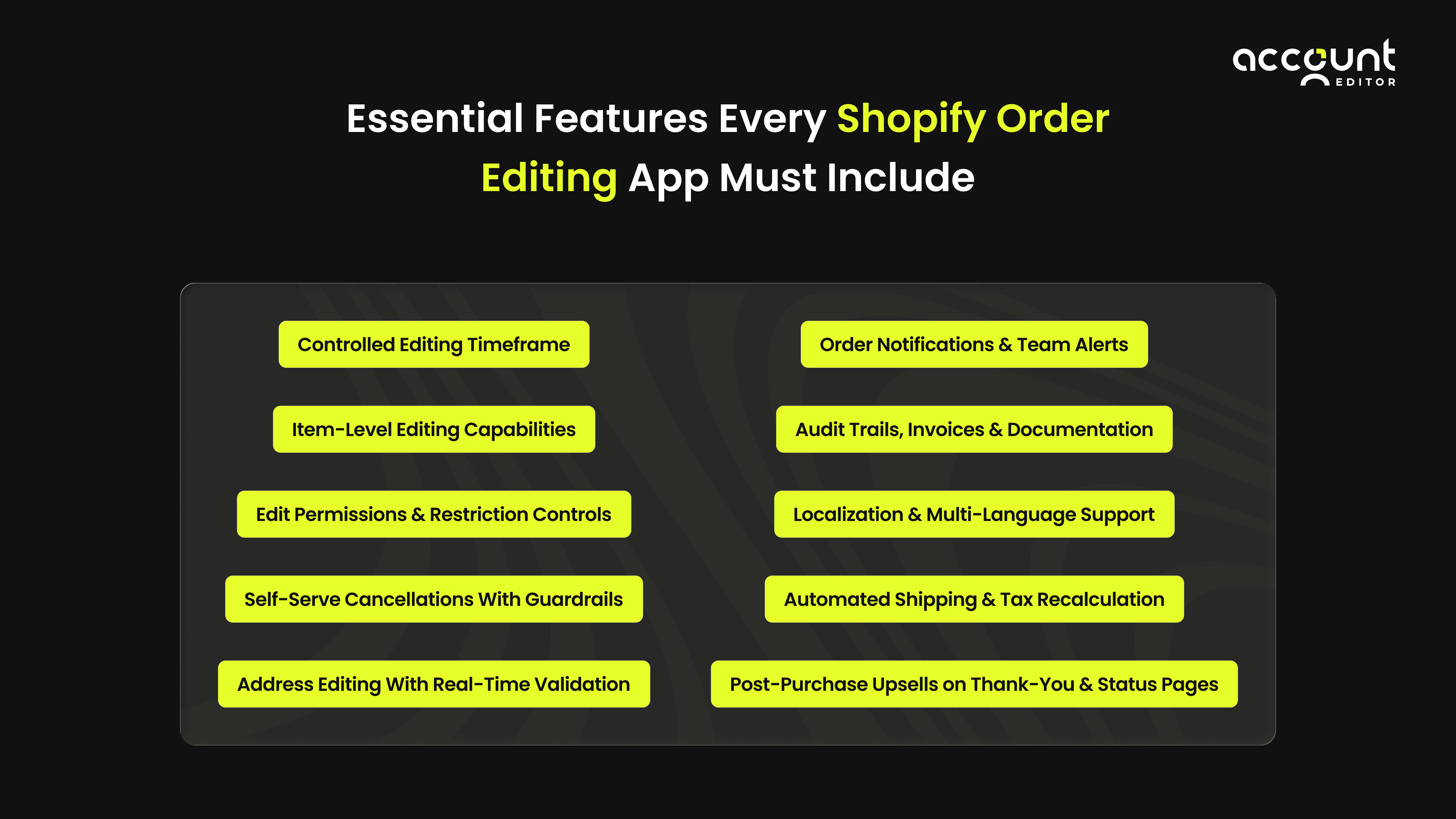
1. Controlled Editing Timeframe
A safe order editing app must allow clear control over how long shoppers can modify orders.
Time-based control in an order editing app ensures customers can make changes only within safe, predefined windows. By setting edit durations that match their fulfillment speed, merchants prevent last-minute disruptions while still offering customers flexible post-purchase updates.
Supports preset durations: 15 min, 30 min, 1 hr, 24 hrs, 3 days, until fulfilled
Non-resettable timers to prevent endless edits
Countdown banner on Thank-You or Order-Status pages
Supports custom timeframes for unique workflows
A well-designed editing window in an order editing app prevents fulfillment disruptions while still giving shoppers the flexibility to fix mistakes quickly. This balance is especially crucial for POD brands that print on demand, subscription businesses that batch fulfill orders, and high-volume DTC stores where even small delays can ripple across the entire workflow.
2. Edit Permissions & Restriction Controls
A Self-serve app must offer granular editing permissions.
Not every order or product should be editable, and an app must give merchants precise control over what customers can and cannot change. By defining strict edit permissions, such as limiting item swaps, blocking changes on custom-made products, or restricting edits on wholesale orders, merchants can maintain operational safety, protect inventory accuracy, and prevent workflow disruptions.
Enable/disable edits for contact info, shipping details, or items
Restrict edits by order tags (e.g., wholesale, subscription, gift_card_order)
Restrict changes on specific product tags (e.g., custom-made, event tickets)
Allow selective item actions: Add, Remove, Swap, Adjust Qty
Restrictions ensure merchant workflows stay intact by preventing edits that could disrupt production, inventory, or fulfillment processes. For example, luxury brands may disable item swaps to maintain strict quality control, while fast-moving apparel stores often allow full flexibility so customers can quickly adjust sizes or quantities without slowing down their operations.
3. Self-Serve Cancellations With Guardrails
A modern Self-serve editing app empowers customers to cancel their orders safely within a controlled timeframe, giving them instant flexibility while reducing the store’s reliance on support teams. By limiting cancellations to specific windows and applying rules based on order type or fulfillment status, merchants can prevent operational disruptions while still delivering a smooth, self-service experience.
“Cancel Order” button visible only before fulfillment begins
Auto-refund or workflow-triggered refunds
Restocking fee options for cost protection
Restrict cancellations on tagged orders (e.g., pre-orders, limited editions)
With the right guardrails in place, automated cancellations significantly lower support volume, improve customer experience, and protect merchant revenue by preventing last-minute disruptions or unauthorized refunds. This allows merchants to maintain operational control while still giving shoppers a smooth, self-service way to manage their orders.
4. Item-Level Editing Capabilities
Core post-purchase changes almost always involve the products themselves, which is why an order editing app must support safe, flexible item-level modifications. Whether customers need to adjust quantities, swap variants, or remove an item before fulfillment begins, product-level editing ensures errors are corrected early, inventory stays accurate, and operations remain smooth.
Add items before fulfillment
Remove items from the order
Swap product variants (size, colour, style)
Adjust the quantity of each item
This capability reduces returns, prevents unnecessary repurchases, and gives customers instant control over their post-purchase order changes, improving satisfaction and streamlining the order workflow while easing the operational load on fulfillment and support teams.
5. Address Editing With Real-Time Validation
Address errors often lead to shipping failures, returned packages, and added costs, disrupting the order workflow. Real-time validation within an order editing app prevents these issues early by catching incorrect details before fulfillment, ensuring accurate shipping address edits and smoother delivery operations. A single address mistake can turn a loyal customer into a frustrated one. Learn how fixing shipping errors early can dramatically improve retention.
Editable shipping addresses pre-fulfillment
Automated real-time validation (Google Maps API equivalent)
Region, city, postcode checks before approval
Optional restrictions on country or state changes
Accurate addresses reduce carrier return costs and improve delivery success, a crucial advantage when 77% of customers expect reliable, on-time shipping. By validating details early, merchants ensure smoother order management and more dependable post-purchase delivery.
6. Automated Shipping & Tax Recalculation
When items or addresses change, shipping and taxes must be recalculated instantly to prevent revenue loss. A reliable Automated app updates these costs in real time, keeping totals accurate and the post-purchase workflow running smoothly.
Automatic recalculation after item changes
Rate updates for new shipping zones or weights
Updated tax logic for cross-border edits
Immediate reflection of new totals
Automated recalculation protects merchants from undercharging while giving shoppers clear, accurate totals. By updating shipping rates and taxes instantly, A post-purchase app keeps pricing precise, prevents revenue leakage, and maintains a smooth post-purchase workflow.
7. Post-Purchase Upsells on Thank-You & Status Pages
A powerful Order editing app should not only fix post-purchase mistakes, but it also increases revenue through relevant upsells that appear at the perfect moment in the post-purchase workflow. By recommending complementary products right after checkout, merchants can boost AOV without disrupting the customer experience.
Showcase personalized upsell products
Trigger offers based on order value or collections
Offer discounted add-ons or bundles
Automatically update order totals if the upsell is accepted
Upsells drive frictionless revenue growth and boost AOV without impacting checkout conversion. Integrated into an order editing app, they appear after payment, offering relevant add-ons that fit naturally into the post-purchase workflow.
8. Order Notifications & Team Alerts
Operational visibility is crucial for maintaining a smooth order workflow, especially as orders move quickly from purchase to fulfillment. Teams need immediate awareness when customers edit or cancel an order so they can adjust packing, inventory, or shipping processes without delays or errors.
Customer email confirmations for edits and cancellations
Staff alerts for pending payments or risky edits
Automated reminders before the editing window closes
Dashboard overview of edit volume and performance
This level of transparency reduces confusion across fulfillment and support teams by ensuring everyone is informed the moment an order changes. With clear, real-time updates, teams can adjust their tasks accordingly, stay aligned throughout the post-purchase process, and prevent errors that often arise from last-minute or unnoticed edits.
9. Audit Trails, Invoices & Documentation
Merchants need accurate order histories for compliance, accounting, and dispute resolution, making clear audit trails essential. By tracking every post-purchase change within the Shopify order workflow, businesses maintain transparency, protect against errors, and ensure they can reference reliable data whenever needed.
Timestamped logs of every change
Updated invoices reflecting final totals
Records for returns, claims, and warranties
Exportable logs for finance or compliance teams
Audit trails build accountability by documenting every edit made to an order, giving merchants a clear and reliable history of all changes. This level of transparency strengthens post-purchase trust, helps resolve disputes quickly, and reassures customers that their updates are recorded accurately within the order workflow.
10. Localization & Multi-Language Support
With global ecommerce growing, the order editing experience must support regional languages and shopper preferences to deliver a seamless, localized post-purchase journey.
Multilingual editing interface
Localized notifications and labels
Support for regional tax and shipping rules
Adaptability across international markets
Localization boosts global conversion rates and ensures a consistent, trustworthy experience for all customers by delivering clear, native-language communication throughout theediting and post-purchase process.
Conclusion: Building a Future-Proof Order Editing System
A well-built Order editing experience can quietly transform the way a store operates. When customers can fix mistakes themselves, support teams immediately feel the impact. Many merchants report a 25-35% drop in post-purchase tickets once self-service editing is enabled. Fulfillment accuracy improves as well; reducing address errors alone can cut carrier returns by up to 40%, saving both time and shipping costs.
By setting smart editing windows, automating recalculations, and enabling clear notifications, merchants create a smoother workflow that prevents last-minute disruptions and keeps orders moving. And when thoughtful upsells are introduced into the post-purchase journey, stores often see a 5-12% lift in AOV without touching the checkout flow.
As order volumes grow, these small operational advantages compound quickly. A structured, customer-friendly approach to post-purchase order management doesn’t just prevent errors, it builds trust, increases efficiency, and positions the brand for long-term scalability in a competitive ecommerce landscape.