How Shopify Stores Handle Sudden Spikes in Customer Questions

For Shopify merchants, sudden surges in customer inquiries are inevitable, especially during promotions, new product launches, or peak shopping seasons. From order status checks to requests for post-purchase edits or shipping updates, these spikes can overwhelm support teams, slow response times, and create customer dissatisfaction.
High-volume inquiries increase operational costs and can disrupt brand consistency when repetitive questions consume valuable staff bandwidth. This case study explores how leading Shopify stores efficiently manage these surges using automation, self-service portals, and smart workflows, turning potential support challenges into streamlined operations and improved customer experience.
Why Shopify Stores Often Experience Sudden Surges in Customer Questions
Shopify stores often face sudden spikes in customer inquiries during peak seasons, product launches, promotions, or unexpected shipping delays. Understanding these surges is essential for reducing support workload Shopify and keeping the customer experience seamless.
Common causes of inquiry surges:
Order status questions & WISMO tickets: Customers frequently ask “Where is my order?” or request tracking updates. During flash sales, hundreds of tickets can come in within hours.
Shipping delays & address corrections: Post-purchase edits like changing a shipping address or delivery method increase ticket volume.
Product-related questions & returns: Queries about sizing, color swaps, or forgotten add-ons can overwhelm support teams.
High-volume post-purchase edits: Customers may want to update quantities, add items, or correct mistakes after checkout.
Challenges for support teams during surges:
Slower response times: Manual ticket handling increases wait times and reduces customer satisfaction.
Inconsistent support: Multiple agents responding without structured workflows can break brand voice.
Higher operational costs: Hiring additional staff during peak periods is often impractical.
How stores manage surges effectively:
Shopify customer support automation & workflow automation: Automates repetitive inquiries, reduces support tickets, and ensures consistent responses.
Self-service customer portal Shopify: Enables customers to track orders, make post-purchase edits, or find answers without contacting support.
Shopify chatbot for customer support: Provides instant responses to common queries, reducing WISMO ticket volume.
Live chat macros Shopify: Standardized responses improve efficiency and cut response time.
By identifying the root causes of question surges and implementing automation or self-service strategies, Shopify merchants can handle support surges effectively, reduce operational strain, and improve customer satisfaction.
What Leading Shopify Stores Do Differently
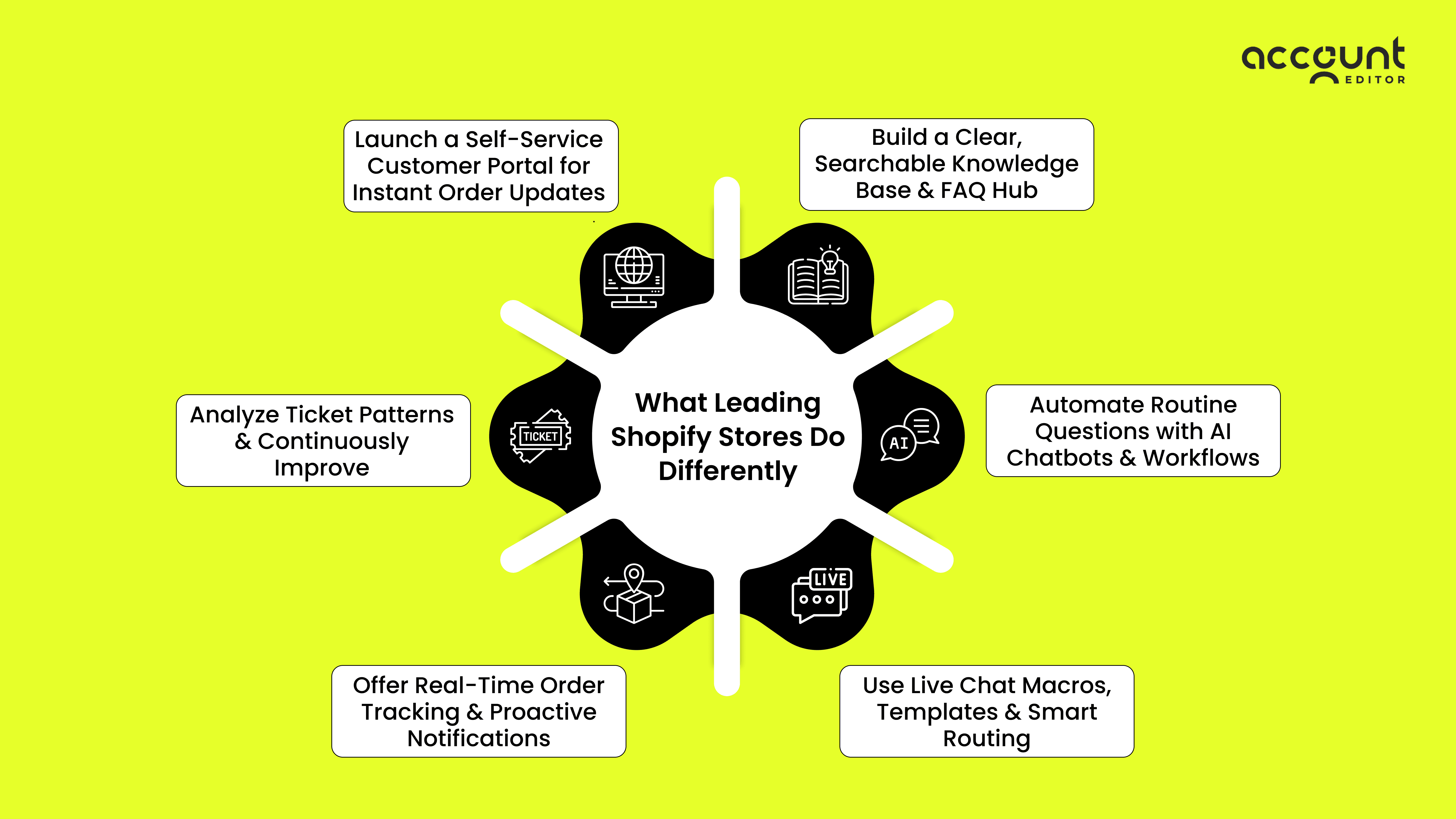
Step 1A: Launch a Self-Service Customer Portal for Instant Order Updates
A dedicated Shopify self‑service customer portal is one of the fastest ways to reduce support tickets. Instead of messaging support for every order‑related issue, customers can fix common problems on their own, including address updates, size or variant changes, order edits, cancellations, and tracking requests.
By giving shoppers real-time visibility into their order status and an easy way to correct mistakes, brands cut down repetitive questions and improve customer satisfaction. Want to learn exactly how customers can manage edits themselves? Check out this deep dive on interlink: whether and how customers can edit orders on Shopify.
Example: A mid-size Shopify fashion brand enabled a self-service order editing portal and reduced “wrong size ordered” tickets by 35% in just 30 days, even during high‑traffic weeks.
Step 1B: Build a Clear, Searchable Knowledge Base & FAQ Hub
Your second foundation step is creating a structured, keyword-rich knowledge base that answers the top customer questions before they reach support. Cover essential topics like shipping timelines, WISMO (“Where is my order?”) explanations, return rules, payment issues, product care, and troubleshooting.
Use searchable FAQs, short articles, embedded videos, and step-by-step guides so customers instantly find solutions, without waiting for human support.
Example: A Shopify beauty store added detailed FAQ sections for shipping delays, return eligibility, and product usage, which led to a 40% drop in repetitive support inquiries during their peak season.
Step 2: Automate Routine Questions with AI Chatbots & Workflows
AI chatbots and automated workflows can handle repetitive queries like “Where’s my order?” or “Can I change my shipping address?” Integrate them with Shopify Inbox, Gorgias, or your helpdesk. This ensures customers get instant responses while your team handles more complex requests.
Example: A Shopify store uses an AI chatbot to answer “Where’s my order?” questions instantly, resulting in fewer WISMO tickets and faster customer responses.
Step 3: Use Live Chat Macros, Templates & Smart Routing
Set up saved replies and macros for common questions like shipping updates, refunds, or product details. Combine this with smart ticket routing to ensure urgent or tricky inquiries reach the right agent.
Why it matters: This keeps responses consistent, protects your brand voice, and speeds up support resolution.
Example: Tagging tickets by issue type helped one Shopify store route high-value questions to senior agents, improving accuracy and customer satisfaction.
Step 4: Offer Real-Time Order Tracking & Proactive Notifications
Give customers order-tracking links and automated updates about shipping or delays. Many support tickets come from uncertainty, so proactive messaging prevents unnecessary follow-ups.
Example: Sending automated shipping delay notifications during Black Friday reduced inquiry spikes by 25%.
Step 5: Analyze Ticket Patterns & Continuously Improve
Regularly review support tickets to identify recurring issues such as size swaps, address changes, or returns. Use these insights to update your FAQs, refine chatbot responses, and automate repetitive workflows.
Example: A Shopify store used ticket pattern analysis to create automated flows, cutting repetitive inquiries by 40% during holiday peaks.
High-volume customer questions don’t have to overwhelm your Shopify store. By leveraging self-service portals, AI chatbots, smart live chat macros, proactive order tracking, and data-driven ticket analysis, merchants can reduce WISMO tickets and free up support teams for complex issues. These strategies cut costs, improve customer experience, and boost loyalty, turning inquiry surges into an opportunity for efficiency and growth, even during peak seasons.
Expected Results from Implementing This Strategy
Implementing a combination of self-service portals, AI chatbots, live chat macros, and proactive order tracking can dramatically transform Shopify customer support operations. Expected outcomes include:
40–60% reduction in support tickets: Automation handles repetitive inquiries such as “Where’s my order?”, returns, size/variant changes, and shipping updates. This significantly reduces agent workload and prevents support backlogs. (Agentive AIQ)
Faster response times: AI chatbots and workflow automation provide instant or near-instant replies, often under 1 minute for initial contact, improving customer satisfaction and retention. (edesk.com)
Higher customer satisfaction and loyalty: Quick, consistent answers reduce frustration, lower cart abandonment, and increase repeat purchase likelihood. Proactive notifications, such as shipping updates or delay alerts, prevent unnecessary inquiries and enhance trust. (Freshworks)
Lower operational costs: Fewer hires are needed, less manual work is required, and support staff can focus on complex queries, improving ROI on resources. Efficient workflows also reduce human error and improve accuracy in handling customer requests.
Actionable insights for continuous improvement: Ticket categorization and analysis identify recurring issues, which can then be addressed proactively through updated FAQs, chatbot training, or process optimization. This creates a cycle of ongoing support improvement.
By combining automation, AI, and structured workflows, Shopify merchants can not only reduce support costs but also deliver a seamless, responsive, and scalable customer experience during high-volume periods.
Key Lessons & Best Practices for Shopify Merchants
Proactively implement self-service portals before peak seasons. Providing a centralized hub for FAQs, order tracking, returns, and post-purchase edits reduces repetitive inquiries and prevents support bottlenecks.
Automate routine questions smartly using AI chatbots or workflow automation. This includes inquiries like order status, shipping updates, and size/variant swaps, freeing human agents to handle complex cases.
Continuously update FAQs and help content based on real ticket patterns. Analyzing common queries ensures customers get accurate, timely answers without contacting support.
Combine tools for a seamless system like integrating chatbots, live chat macros, workflow automation, and proactive notifications to cover every touchpoint in the customer journey.
Measure, monitor, and optimize metrics such as ticket volume, response and resolution times, customer satisfaction, and WISMO ticket reduction to continuously refine support strategies.
Potential Pitfalls & How to Avoid Them
Managing high-volume customer inquiries on Shopify comes with challenges. Even the best automation strategies can backfire if not implemented thoughtfully. Awareness of common pitfalls helps merchants create a smoother support experience while maintaining customer satisfaction.
Over-automation can frustrate customers: Generic responses or misrouted inquiries lead to dissatisfaction. Focus on automating only the most repetitive questions, freeing agents for high-value interactions.
Neglecting personalization reduces engagement: Even with automation, customers expect a human tone and clear, context-aware responses. Blend automated messages with personal touches where needed.
Ignoring global customer needs limits support effectiveness: Consider different time zones, mobile accessibility, and multichannel communication. Offering 24/7 support pathways ensures consistent service worldwide.
By proactively addressing these pitfalls, Shopify merchants can balance automation with personalization, reduce errors, and deliver a seamless customer support experience even during surges in inquiries.
Conclusion
Handling surges in customer questions is a critical challenge for growing Shopify stores. By combining self-service tools, automation, and data-driven workflows, merchants can streamline support while maintaining high customer satisfaction.
Reduce support ticket volume: Self-service portals and automated responses handle repetitive inquiries without manual intervention.
Faster response times: AI chatbots and smart routing ensure customers get instant answers.
Improve customer satisfaction: Consistent, accurate responses keep shoppers happy and reduce frustration.
Lower operational costs: Efficient workflows minimize the need for additional hires during peak periods.
Data-driven improvements: Analyzing support patterns helps refine FAQs, chatbots, and workflows over time.
By implementing these strategies, Shopify merchants can scale support efficiently, enhance the customer experience, and maintain smooth operations even during high-volume periods.
Try AccountEditor Free and Cut Your Shopify Support Tickets Today