How to Let Customers Fix Their Shipping Address After Checkout on Shopify
Can customers change their shipping address after ordering on Shopify?
By default, no. Shopify doesn't allow customers to edit their shipping address after checkout. Merchants need a post-purchase editing app to enable this. With a tool like Account Editor, customers can update their shipping address within a merchant-defined time window, before fulfillment begins, without needing to contact support.
Wrong shipping address. Three words that create an instant support ticket, a potential cancellation, and a frustrated customer, before your team has even seen it.
On Shopify, customers can’t change their shipping address after checkout by default. That means every address mistake funnels into one place: your support inbox. And it happens more than you expect. Account Editor data shows that 60% of all post-purchase order edits are address fixes, making it the single most common change customers need to make after placing an order.
This guide explains why address errors happen so frequently, what they cost your store, and how letting customers fix their own shipping address on Shopify without contacting support stops cancellations before they happen.
Why Do Customers Enter the Wrong Shipping Address?
A shipping address is the physical location where the carrier delivers a package. It usually includes the Recipient's name, Street address + number, Apartment or suite (if applicable), City, State or Province, ZIP or Postal Code, Country, and often a phone number for verification.
Most address errors aren’t careless, they’re predictable. Customers shop fast, often on mobile, often with autofill enabled. Here are the most common reasons a shipping address ends up wrong by the time checkout is complete:
Typos and fat-finger errors, street names, apartment numbers, and zip codes mistyped on small screens
Autofill inserting outdated addresses, Saved browser data populating a previous home or workplace
Gift orders with the wrong destination, Buyers forget to swap their own address for the recipient’s
Mid-purchase relocation, Customer has recently moved and defaults to habit
Missing apartment or suite numbers. The package was delivered to the building but not the unit
International format confusion: Cross-border shoppers unfamiliar with local postal formats
None of these errors reflect badly on your store. But how you handle them does. If customers have no way to fix the mistake themselves, the next step is either a support email or an order cancellation, both of which cost you time and money.
A study by Shoake found that up to 20% of failed deliveries are due to inaccurate addresses, costing retailers billions annually.
Why Shipping Address Errors Happen So Often
Even with good UX, mistakes are frequent. Common issues include:
Typos: misspellings, wrong numbers, swapped digits.
Missing fields: apartment number, suite/floor, PO boxes.
Postal/ZIP code mismatches: using old or incorrect codes.
Outdated data: moving houses, switching regions or countries.
Autofill problems: browser or mobile auto-complete inserting wrong suggestions.
International/address format issues: local format unfamiliarity causing confusion.
Because many stores and checkouts don’t allow post-purchase updates by customers (or only via support), these small errors escalate into large operational problems.
What Happens When a Shipping Address Is Wrong on Shopify?
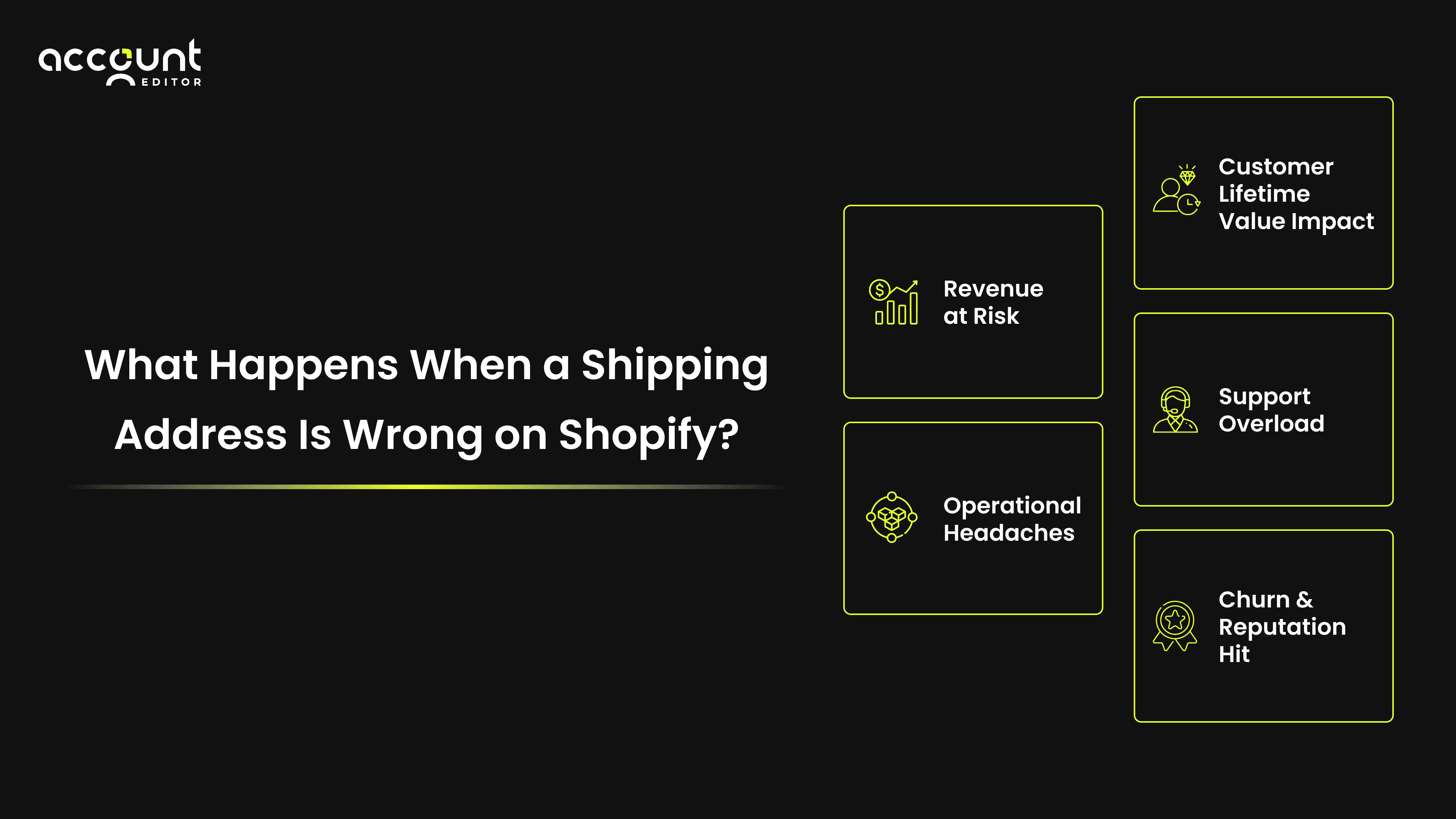
A wrong address isn’t just a delivery problem. It cascades across your operations:
1. Carriers like UPS and FedEx charge $23.50–$24 per address correction.
2. Around 2.1% of all ecommerce parcels encounter address issues (Shippo). 74% of companies cite bad address data as the cause of up to 25% of failed deliveries (Enterprise Times, 2021)
3. 8% of domestic first-time deliveries fail, costing an average of ~$17.20 per order in reattempts or returns. 84% of buyers who experience a negative last-mile delivery are unlikely to purchase from that brand again.
4. The fix isn’t faster support responses. The fix is letting customers correct addresses themselves, before fulfillment starts.
By enabling Shopify self-service address editing tools, merchants can prevent order cancellations with address update tools and protect their bottom line.
Traditional Solutions And Why They Fall Short
For years, Shopify stores have relied on a handful of traditional ways to handle shipping address errors. Unfortunately, most of them are time-consuming and expensive.
Manual Customer Support Requests: Customers email support to flag the mistake. This means long wait times, overflowing inboxes, and frustrated shoppers. By the time support responds, the order may already be shipped, leading to returns or cancellations.
Order Cancellations & Re-orders: Some merchants instruct customers to cancel the order and place a new one. While this ensures accuracy, it doubles the workload, hurts conversion rates, and often discourages customers from re-ordering at all.
Back-end Edits by Staff: Merchants sometimes edit customer addresses manually within Shopify. While possible, it’s not scalable, especially during peak seasons when staff is overloaded. It also increases the risk of human error and compliance issues.
The problem with all these methods is that they surge support costs, demand significant operational effort, create friction in the customer journey, and ultimately lead to avoidable order cancellations, shipping delays, and lost revenue.
Can Customers Change Their Shipping Address After Ordering?
Self-service shipping address changes on Shopify allow customers to correct their delivery details after checkout, through a controlled merchant-defined window, without contacting customer support. This is enabled through third-party post-purchase apps, since Shopify does not offer native address editing for customers.
Shopify doesn’t offer this natively. Merchants enable it through post-purchase apps like Account Editor, which give customers a controlled, time-limited window to make corrections before fulfillment begins.
How Self-Service Address Editing Prevents Cancellations
Here is the simple chain reaction that self-service address editing interrupts:
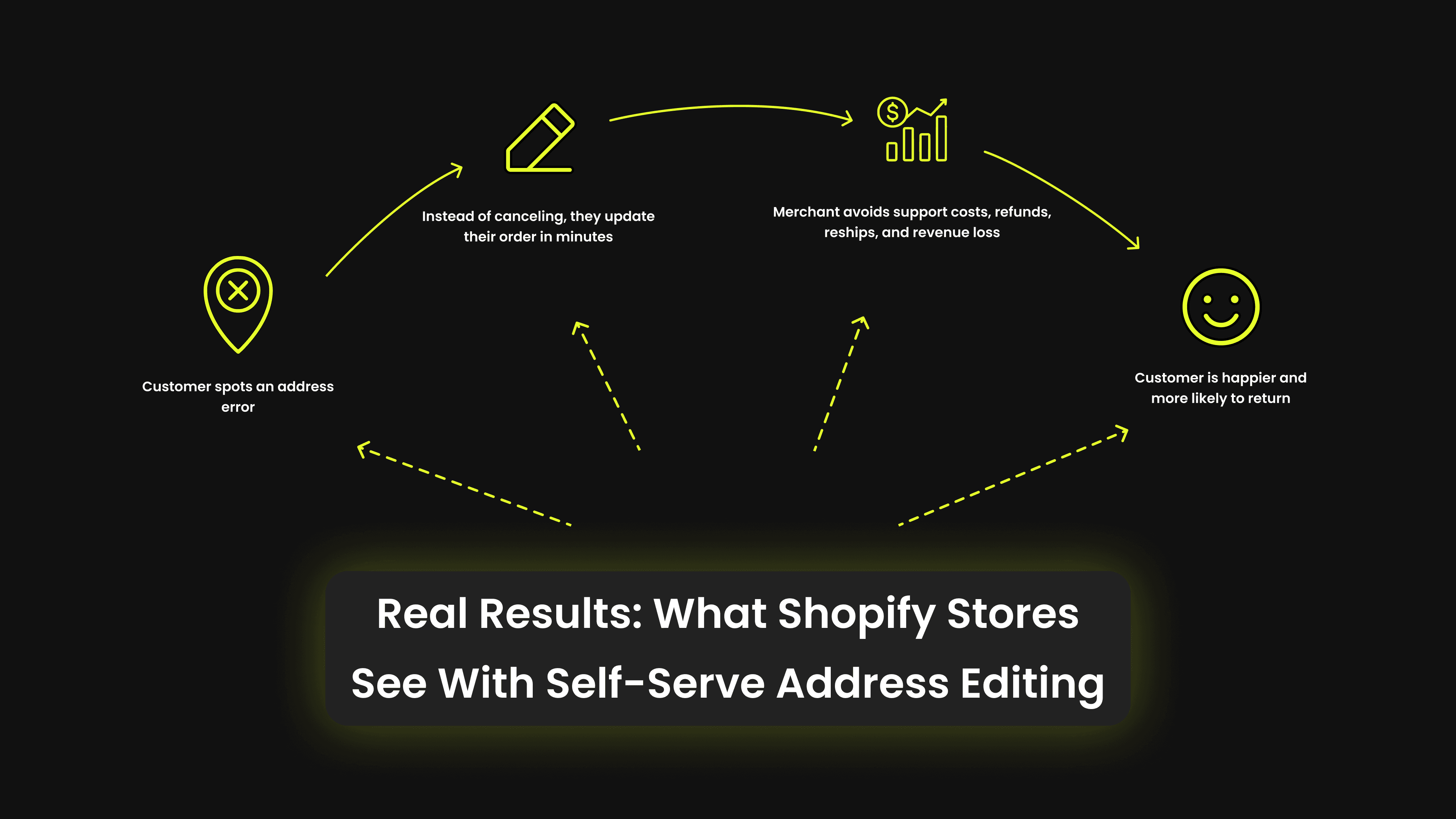
Customer spots an address error after checkout.
Instead of cancelling, they update the address themselves in under 2 minutes
Order proceeds to fulfillment with the correct details
Merchant avoids a cancellation, a support ticket, and a reshipment cost
Customer gets their order, and comes back
Shopify merchants using tools like Account Editor consistently see that address updates are the most frequent type of post-purchase change. It’s easy for a shopper to mistype a street name, forget an apartment number, or accidentally leave an old address saved in their account. These small errors can create big problems like failed deliveries, frustrated customers, and costly order cancellations.
That’s why enabling customer address change features for e-commerce platforms and investing in shipping address updates for customer accounts is non-negotiable.
Real Results: What Shopify Stores See With Self-Serve Address Editing
The data from real Shopify stores using Account Editor shows this in practice:
A fashion retailer processed 199 address updates, avoiding 171 support tickets.
A beauty and personal care brand handled 291 post-purchase address edits, saving 200 support interactions.
A gaming and collectibles platform recorded 3,273 address updates, preventing 500 customer service escalations.
These aren’t edge cases. Across thousands of Shopify stores, address mistakes are the most frequent post-purchase edit, and self-serve tools convert almost all of them from cancellation risks into fulfilled orders.
How Account Editor Simplifies Shipping Address Changes
Account Editor is a Shopify app that gives customers a self-serve editing window after checkout, helping merchants reduce cancellations and cut the support tickets that come from simple order mistakes.
For shipping address changes specifically, Account Editor handles:
Feature | What It Does | How It Prevents Cancellations / Errors |
|---|---|---|
Self-Service UI / Customer Portal | Customers edit their shipping address directly from Thank-You, Order Status, or their customer account area. | Eliminates the need for support tickets; corrections happen instantly. |
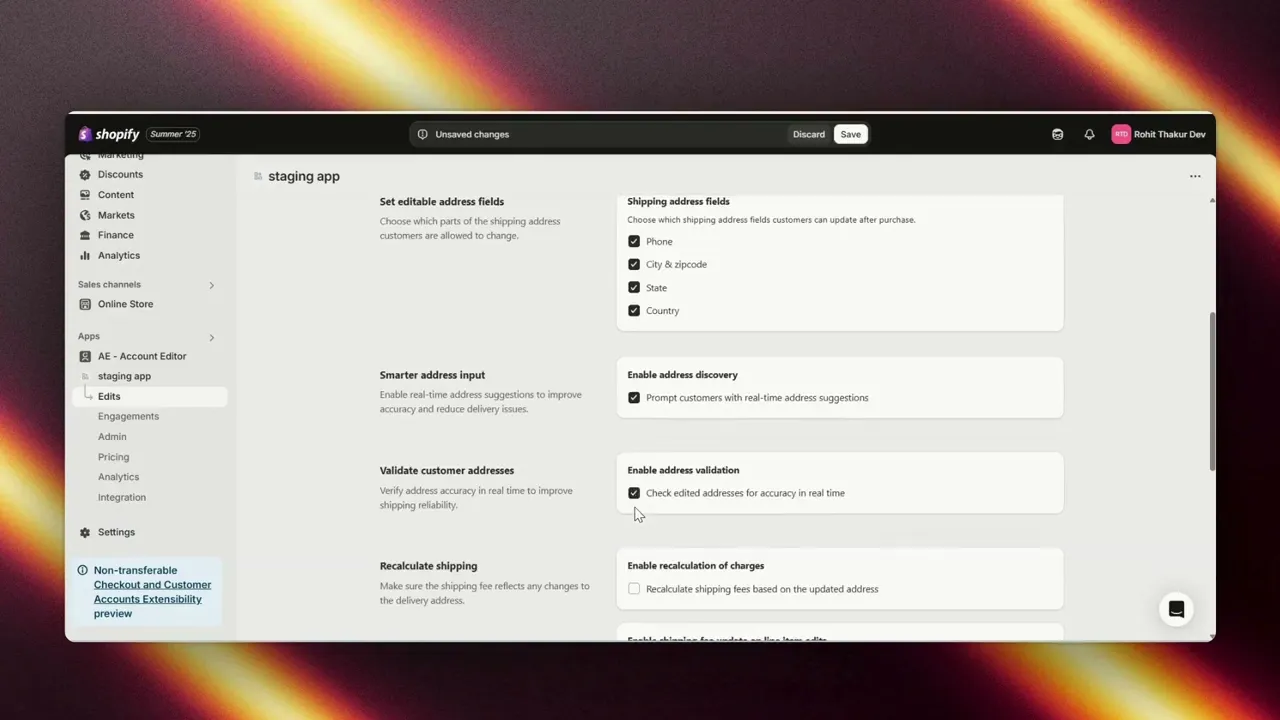
Granular Editable Fields | Choose which fields customers can update: phone, city, ZIP/postcode, state/province, and country. | Keeps merchant control while allowing flexibility; ensures recalculations only when necessary. |
Address Autocomplete | Provides real-time suggestions as customers type. | Reduces typos, incomplete addresses, and input errors. |
Automatic Address Validation | Checks every edit for deliverability before saving. | Prevents invalid or undeliverable addresses from entering the system. |
Recalculate Shipping | Re-requests Shopify’s shipping rates when the address changes. | Ensures fees reflect correct zones; prevents revenue loss or surprise costs. |
Split Shipping Options | Customers can pick different shipping speeds per fulfillment profile (e.g., express for one item, economy for another). | Improves delivery flexibility without canceling or re-ordering. |
Change Shipping Method | Let's customers upgrade/downgrade shipping method after purchase. | Reduces cancellation requests from customers who want faster delivery. |
Recalculate Taxes | Automatically adjusts tax rates when an address or line item changes. | Keeps compliance across regions; avoids tax mismatches that might trigger order cancellations. |
Staff Notifications & Logs | Merchants get notified of every update; the audit trail is recorded. | Keeps operations aligned and prevents fulfillment errors. |
3PL / Carrier Sync | Updates flow back to Shopify fulfillment orders and connected 3PLs. | Ensures warehouses ship to the right place, avoiding costly mis-shipments. |
Case Example: Real Results Across Different Niches
To see the impact of self-service shipping address changes, let’s look at how merchants across different industries reduced cancellations and support burden using Account Editor.
Apparel & Lifestyle Brand
A mid-sized fashion retailer processed 199 shipping address updates, which translated into 171 fewer support tickets. By empowering customers to fix their own delivery details, the brand not only avoided costly cancellations but also freed up their support team to focus on high-value inquiries.Beauty & Personal Care Store
A fast-growing fragrance business enabled 291 post-purchase shipping edits, saving 200 potential support interactions. Instead of handling repetitive “please change my address” emails, the team could focus on customer engagement and loyalty programs.Gaming & Digital Collectibles Platform
A high-volume Shopify store in the Web3 gaming space recorded a massive 3,273 shipping address updates. This prevented500 customer tickets that would otherwise have required manual intervention. For a business scaling rapidly, this automation kept operations smooth and cancellation risk low.
Conclusion
Wrong or incomplete shipping addresses are one of the biggest hidden causes of order cancellations on Shopify. Every failed delivery not only costs money but also damages customer trust.
By giving customers the ability to fix their own shipping details after checkout, you remove one of the main reasons they cancel or contact support. Customers don’t stop evaluating your brand at checkout. A smooth address correction experience builds the kind of trust that drives repeat purchases. This creates smoother operations for your team and a far better shopping experience for your customers.
Tools like Account Editor make this easy by combining address validation, shipping recalculations, staff notifications, and full self-service editing. The result is fewer cancellations, fewer support tickets, and happier returning customers.
If you want to cut down cancellations and strengthen your post-purchase experience, now is the time to enable self-service shipping address changes in your store.
Ready to let your customers edit orders after purchase? Install Account Editor free for 14 days.