The e-commerce customers have developed strong expectations around flexibility, speed, and accuracy. Shoppers frequently revisit their order status page after checkout to double-check delivery details, correct addresses, or modify items. These repeated visits often happen within the first 10 to 30 minutes and signal unusually high engagement.
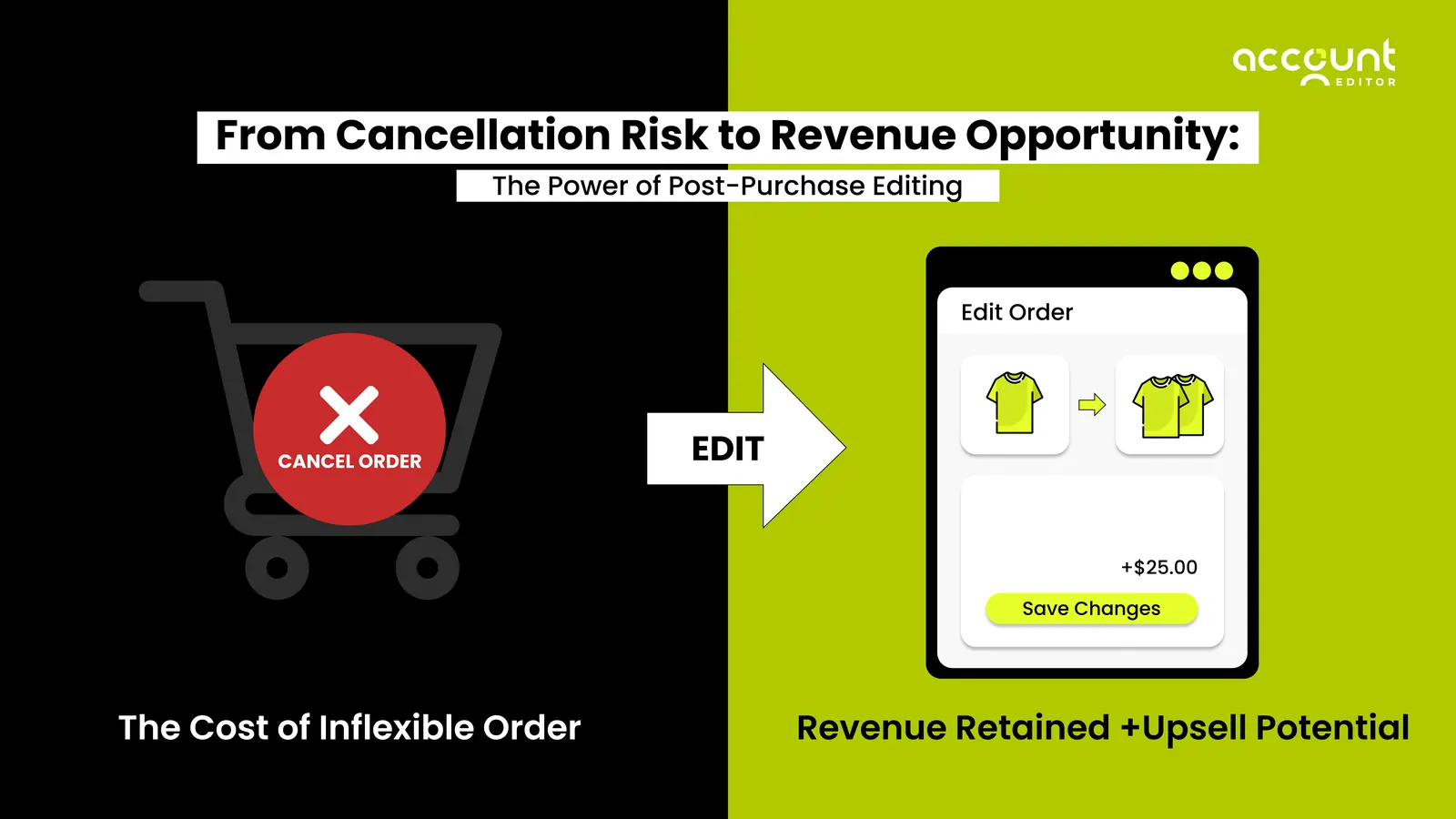
Despite this behavior, most Shopify stores treat the post-purchase experience only as a confirmation step rather than a revenue opportunity. However, when shoppers return with intent, the order editing flow becomes an ideal environment for post-purchase upsells, AOV growth, and enhanced customer-initiated order changes.
This guide explains how post-purchase upsells function inside the order editing journey, why they work so well for shoppers, and how ecommerce brands can use these interactions to improve efficiency and increase revenue without relying on additional advertising spend.
Why Traditional Post-Purchase Order Editing Was Difficult for Merchants
Before self-serve solutions became common, order editing in the e-commerce landscape relied heavily on customer support teams. Shoppers expect fast responses, which increases pressure on support staff and logistics teams.
1. Manual Corrections Increased Operational Costs
A typical support-driven correction in a Shopify store might include:
2 to 4 minutes reading and understanding the issue
5 to 7 minutes updating line items or addresses
3 to 5 minutes coordinating with fulfillment centers or 3PL partners
Additional time responding to follow-up questions
If a store received even 15 order change requests in a day, this could expand into more than 2.5 hours of operational effort.
2. Customers Experienced Delays That Impacted Confidence
Shoppers often expect near-instant changes, especially when ordering items for:
Birthdays
Last-minute travel
Holidays such as Christmas or Thanksgiving
Weekend delivery plans
Waiting for support to handle a simple variant change or address fix created unnecessary anxiety during the post-purchase experience.
3. No Opportunity for Added Value
Traditional order editing simply resolved an issue. It did not provide opportunities to add accessories, upgrades, or relevant items while the customer was already engaged.
What is post-purchase upsells?
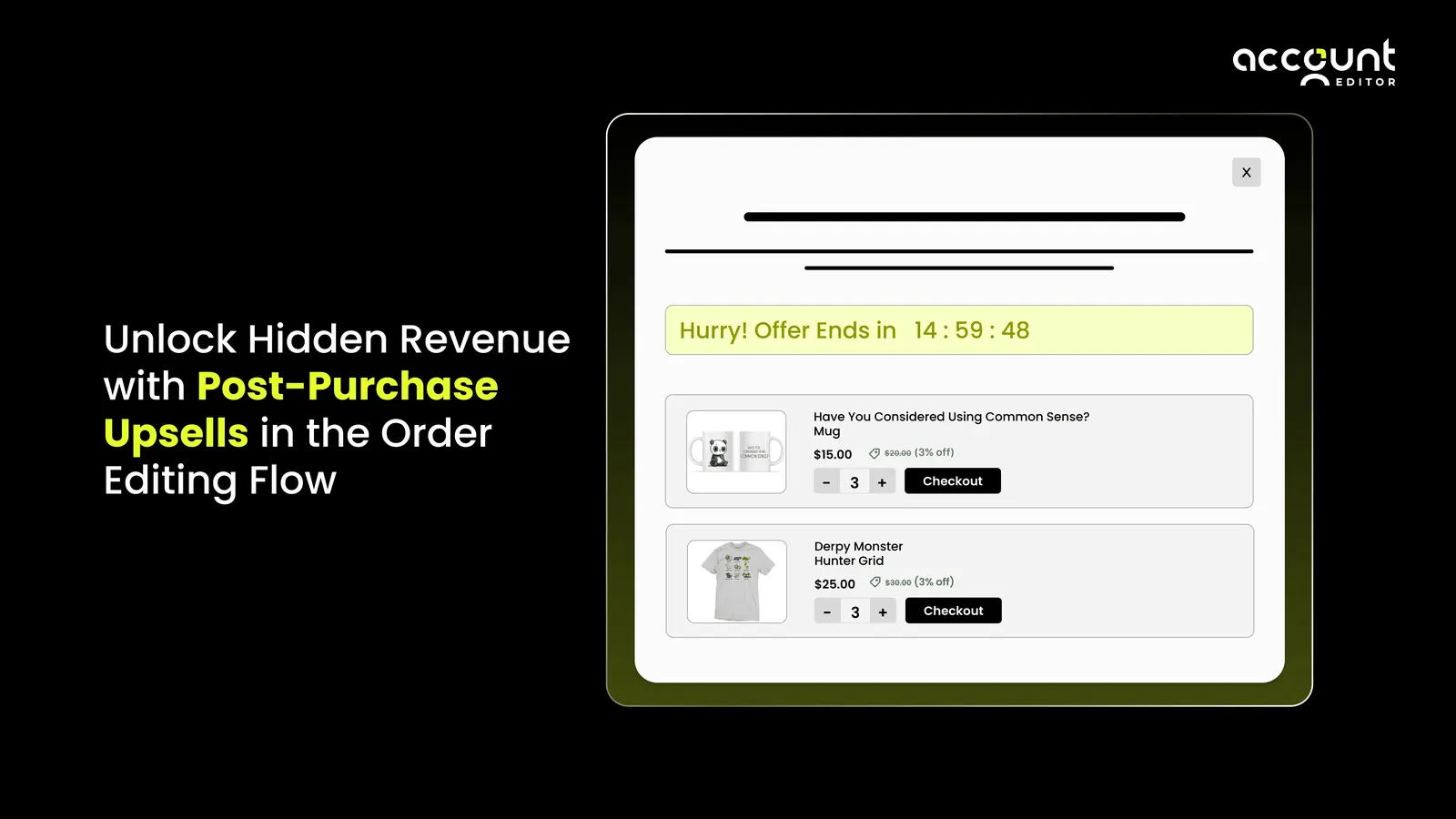
Post-purchase upsells are product recommendations shown to customers after they complete their initial checkout. Unlike pre-purchase upsells that appear during browsing or on the product page, post-purchase upsells are offered when the customer has already placed an order and is revisiting their confirmation or order status page.
This moment is uniquely effective because the customer has already committed to buying and is still actively thinking about their purchase. As a result, they are more open to adding small, relevant items that improve or complete their order.
1. How Post-Purchase Upsells Work
After checkout, a customer may revisit their order to:
Check shipping information
Review delivery timelines
Fix a mistake
Add something they forgot
During these interactions, they are often presented with tailored suggestions such as accessories, complementary products, or low-cost add-ons.
2. Why They Matter
Post-purchase upsells benefit both customers and merchants:
Customers discover useful items they might have missed earlier.
Merchants can increase average order value without interrupting the checkout flow.
The recommendations feel more helpful because they appear when the customer is actively engaged with their order.
Example: A customer who purchases a $50 water bottle might see an option to add a $10 cleaning brush or a $12 replacement lid when they return to review their order. These small additions enhance the original purchase and are easy to accept because the customer already trusts the brand.
Definition; What is Upsell? An upsell is a sales technique where a customer is encouraged to purchase a higher-value version of a product, add complementary items, or increase the overall quality or quantity of their order. The goal of an upsell is to enhance the customer’s original purchase while increasing the merchant’s average order value.
Why the Post-Purchase Window Is a Strong Revenue Opportunity
American consumers exhibit unique behaviors that amplify the effectiveness of post-purchase upsells.
1. Shoppers Often Realize They Forgot Items After Checkout
Common examples include:
A shopper buys a $50 skincare kit and realizes they forgot the $12 travel-size cleanser.
A customer orders a $25 notebook and then remembers they need a $6 set of pens.
These realizations typically occur within minutes.
2. Purchase Momentum Supports Additional Spending
Once a customer completes payment, adding a $10 to $20 accessory feels manageable. The relative increment is small compared to the total spent, especially when orders commonly fall between $60 and $100.
3. The Post-Purchase Environment Creates Calm Consideration
During checkout, customers may abandon carts due to friction or distractions. After checkout, there is no pressure. This allows them to consider upsells with clarity.
4. Shoppers Often Revisit the Order Page Multiple Times
Many consumers check tracking updates frequently, especially when using:
USPS
UPS
FedEx
Amazon-style shipment notifications
These revisits create repeated exposure to recommendations.
How Self-Serve Order Editing Unlocks Upsell Potential
Self-serve features give shoppers control while significantly improving the post-purchase workflow.
1. Customers Take Action Voluntarily
A shopper who chooses to edit their order is demonstrating active intent. This is far more valuable than passive browsing because the customer is already engaged with the products they purchased.
2. Increased Interaction Time Supports Discovery
For example:
Editing a variant may take 15 to 30 seconds
Updating an address may take 20 to 45 seconds
Adjusting quantities may take 10 to 20 seconds
During these intervals, relevant suggestions have higher visibility.
3. Contextual Recommendations: Feel Customer-Centric
When upsells align with the customer’s existing order, they feel like helpful enhancements.
Examples include:
A $9 shoe protector is shown when a shopper edits their sneaker order
A $15 water bottle lid is offered when adjusting hydration products
A $7 cable organizer is suggested when correcting electronics orders
These additions align with customer intent rather than distracting from it.
The Revenue Potential Inside the Order Editing Flow
The order editing flow naturally supports value expansion because shoppers re-engage with their order purposefully.
Step 1: Customer Initiates an Edit
The shopper returns to correct or adjust something. This is already a high-intent moment.
Step 2: Relevant Items Are Displayed
For example:
If the cart value is above $100, offer a $12 premium add-on
If the customer is editing apparel, recommend a $9 care product
If the customer is adding a second item, offer a discounted bundle option
These conditions ensure logical, personalized suggestions.
Step 3: Customers Consider Upsells With Minimal Effort
A simple example:
Original order total: $80
Upsell item: $10
New order total: $90
If 20 out of 200 customers accept a $10 upsell, that is $200 in new revenue created from simple order interactions.
Step 4: Updated Totals Improve AOV
If AOV increases from $70 to $78 because of frequent small add-ons, this difference compounds significantly over hundreds or thousands of orders.
Upsell Strategies That Work Well for US E-commerce Buyers
Some upsell strategies naturally resonate with customers due to shopping habits, preferences, and cultural buying patterns.
1. Complete-the-Set Recommendations
A shopper editing an athleisure outfit may appreciate seeing:
A matching $12 headband
A $14 pair of socks
A $20 accessory pouch
These suggestions help build a complete purchase.
2. Frequently Bought Together Items
Examples include:
$30 blender with a $7 cleaning brush
$55 water bottle with a $10 replacement lid
$25 notebook with a $5 pen set
These pairings align with familiar US shopping logic.
3. Low-Friction Micro Upsells
Items priced between $5 and $15 tend to convert extremely well during post-purchase interactions.
4. Seasonal or Event-Based Upsells
The US market is highly seasonal. Effective periods include:
Back-to-school
Labor Day
Black Friday
Christmas
Summer essentials
For example, a $4 gift bag or a $6 holiday tag pack.
5. Premium Upgrades
Shoppers often upgrade when the difference is between 10 and 20 percent of the original item price.
For example:
Upgrading a $30 bottle to a $36 insulated version
Moving from a $45 pillow to a $55 premium mode
Realistic Post-Purchase Scenarios in the Market
Some upsell strategies naturally resonate with customers due to shopping habits, preferences, and cultural buying patterns.
1. Variant Changes Create New Upsell Touchpoints
A shopper changes their size from Medium to Large. This moment can highlight a $10 garment care spray that complements their clothing purchase.
2. Shoppers Add Items They Forgot
For example:
A customer orders a $40 facial cleanser and later adds a $20 toner when they realize they need the complete duo.
3. Address Corrections Lead to Longer Engagement
Shoppers often update apartment numbers, ZIP codes, or delivery notes. This additional time increases exposure to relevant recommendations.
4. Order Tracking Revisits Multiply Opportunities
A shopper may check their order status 2 or 3 times:
Immediately after purchase
Once the label is created
On the morning of delivery
Each revisit increases the likelihood of noticing an upsell.
5. High-Value Orders Trigger Tiered Recommendations
For example:
If the order exceeds $150, a $20 premium add-on may convert at a higher rate due to a proportionally low additional cost.
How to Build Effective Upsells for the US Market
1. Use Customer Segments Intelligently
Examples include:
First-time customers
Returning customers
High-value buyers
Customers are buying specific categories
2. Choose Products That Feel Immediately Useful
A good rule is to offer products that add convenience, completion, or enhancement to the original order.
3. Apply Light Incentives When Needed
A discount of $1 to $3 or 5 percent off can meaningfully increase acceptance without eroding margins.
4. Align the Display Format With the Recommendation Type
List view for essential, single-item upsells
Carousel view for multiple related suggestions
5. Monitor AOV and Acceptance Rates
If fewer than 2 percent of customers accept a particular upsell, it may need better alignment or a different product selection.
Key Metrics That Merchants Should Track
1. Average Order Value Increase
Tracking how much the AOV rises after implementing upsells is essential for long-term growth.
2. Upsell Acceptance Rate
A 5 percent acceptance rate on a $10 upsell can add hundreds or thousands of dollars monthly, depending on order volume.
3. Orders Edited
If 30 percent of customers edit their orders, then 30 percent naturally see upsell opportunities.
4. Revenue From Upsells
A clear understanding of how much revenue comes directly from post-purchase interaction helps assess strategy effectiveness.
5. Reduction in Support Tickets
Removing even 50 manual tickets per month saves several hours of staff time.
Conclusion
The e-commerce landscape rewards convenience, speed, and relevance. Shoppers expect flexibility even after completing a purchase. By understanding how self-serve order editing reshapes customer behavior, brands can strategically introduce post-purchase upsells into the order editing flow in a way that feels natural and customer-focused.
The post-purchase moment is not the final step in the buyer journey. It is a high-engagement window that supports better experiences, operational efficiency, and hidden revenue opportunities.