Account Editor Is Now Available for Both Legacy and New Customer Accounts
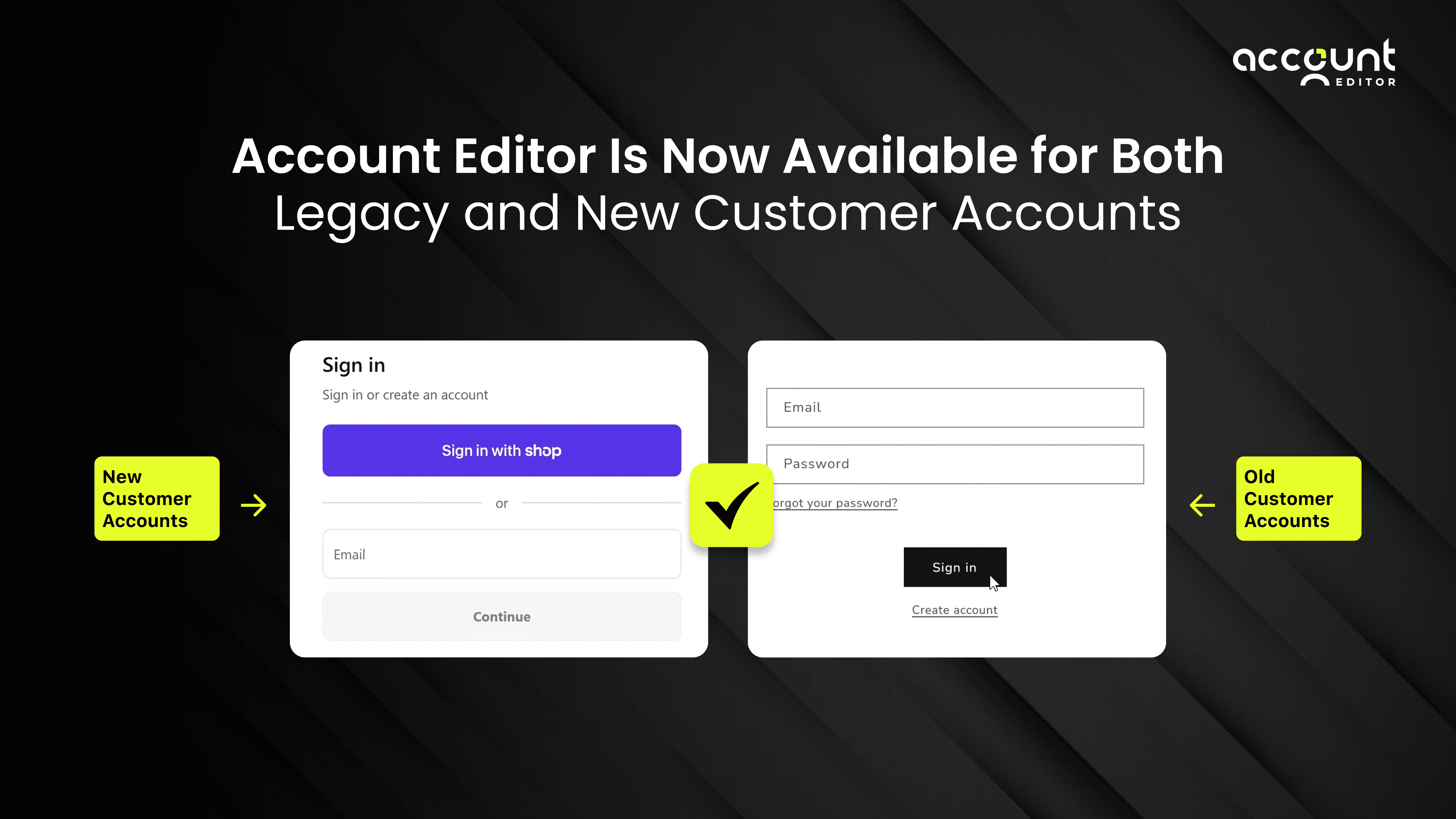
For quite some time now, Shopify merchants have faced a quiet but costly limitation: powerful post‑purchase experiences were often locked behind new customer accounts, leaving stores that still relied on legacy customer accounts with fewer options. That gap has now closed.
Account Editor is the only app that now fully supports post purchase order editing on Shopify legacy customer accounts alongside new customer accounts. This means you can finally offer self‑service order edits, cancellations, address changes, and post‑purchase upsells to all customers, without forcing migration or losing current customisations.
In this guide, we’ll break down:
Why legacy customer accounts still matter
The real problems merchants face without post‑purchase editing
How Account Editor solves those problems across both account types
What this unlocks for revenue, support efficiency, and customer experience
Whether you’re a fast‑moving DTC brand, a high‑volume Shopify Plus merchant, or a store deliberately staying on legacy accounts, this update evolves post-purchase experience.
What Are Shopify Legacy Customer Accounts?
Shopify legacy customer accounts are the initial account system that has powered customer logins on Shopify for years. With legacy accounts, customers sign in using an email and create a password to access a basic dashboard tied to their email address.
These accounts allow customers to:
Log in using email and password
View past orders and order statuses
Manage saved addresses
Update limited profile information
From a merchant perspective, legacy customer accounts are deeply embedded into existing storefronts, themes, and workflows. Most long-running Shopify stores launched on this system by default, and many still rely on it today because it’s stable, predictable, and well-supported across themes and apps.
However, while legacy customer accounts handle identity and order visibility, they were never designed to manage the post-purchase experience. Once an order is placed, customers using legacy accounts typically cannot:
Edit shipping details
Correct contact information
Modify items or quantities
Cancel an order on their own
This limitation is not a bug, it’s simply how the original system was built. As customer expectations have evolved, this gap has become more noticeable, especially for merchants handling high order volumes or time-sensitive fulfillment.
Why Many Merchants Still Use Legacy Accounts
Many merchants continue using Shopify legacy customer accounts because they are stable, familiar, and already embedded into existing storefronts and workflows. For long-running stores, these accounts work reliably with current themes and internal processes.
Migrating to new customer accounts often introduces additional complexity without solving the real day-to-day challenges merchants face after checkout. Issues like order edits, address corrections, and cancellations still require a separate solution, regardless of the account model.
As a result, merchants prefer to keep legacy accounts for authentication and order visibility, while improving the post-purchase experience through dedicated tools, rather than rebuilding their entire customer account setup.
What Customer Experience Looks Like on Legacy Customer Accounts
On the surface, the customer experience appears acceptable.
Customers can:
Log in
View past orders
Check order status
See saved addresses
However, the experience breaks down immediately after checkout.
Once an order is placed, customers cannot correct mistakes themselves. Even small issues like:
A wrong shipping address
An incorrect phone number
A missing item
An order placed too quickly
All of these require contacting support or cancelling the order That’s where CX friction begins.
The Hidden Problems Legacy Account Merchants Still Face
While legacy accounts remain functional, they’ve historically lagged behind in post-purchase self-service. That gap shows up in predictable ways.
1. Manual Order Change Requests
Customers frequently request changes after checkout:
Wrong shipping address
Incorrect variant
Quantity updates
Missed add-on items
Cancellation requests
In legacy setups, these requests typically flow through:
Support inboxes
Live chat
Manual admin edits
Each request costs time, money, and operational focus.
2. Higher Support Load (That Scales Poorly)
As order volume grows, these requests don’t flatten, they multiply. What starts as a minor inconvenience becomes a support bottleneck.
3. Avoidable Cancellations
When customers can’t fix small mistakes quickly, cancellation becomes the easiest path. That’s not a product issue. It’s a customer experience gap.
Why Migrating to New Customer Accounts Isn’t Always Practical
While Shopify’s new customer accounts introduce a modern login experience, migrating to them isn’t always a straightforward upgrade. For many merchants, the change requires updates to themes, adjustments to existing workflows, and revalidation of third-party app compatibility, adding operational overhead without immediate returns.
More importantly, switching account systems does not automatically solve the most common post-purchase challenges. Customers still can’t correct order details, make changes, or cancel on their own unless a dedicated post-purchase tool is in place. As a result, merchants often find that migration adds complexity while leaving support tickets and cancellations largely unchanged.
For teams focused on stability and scalability, it’s often more practical to keep their existing account setup and use tools to improve the post-purchase experience where customers actually need control.
How Account Editor Solves This (Without Forcing a Customer Account Migration)

This is where Account Editor takes a different approach.
Instead of asking merchants to change how their customers log in, Account Editor works at the order level, where the real problems live. It works on top of Shopify legacy customer accounts, enabling customers to manage their orders after checkout but before fulfillment.
Account Editor integrates with:
Shopify Thank You Page
Order Status Page
Customer account areas (legacy and new)
This means:
Legacy account customers get the same self-service editing experience.
New account customers are equally supported.
Merchants don’t have to choose one path over another.
What Customers Can Do (Self-Serve)
Using Account Editor, customers can:
Edit shipping addresses
Update contact information
Modify items (where allowed)
Add items post-purchase
Cancel orders within merchant-defined rules
Accept post-purchase upsells
All without contacting support.
Why This Matters More for Shopify Plus and High-Volume Stores
For Shopify Plus brands, the cost of inefficiency compounds fast. A few minutes saved per order quickly becomes hours per day across support, ops, and fulfillment teams.
Account Editor’s support for legacy accounts ensures:
No forced re-platforming decisions
No disruption to existing workflows
Immediate operational relief
That’s not just convenience, it’s risk management.
Real Outcomes Merchants See
Merchants using Account Editor typically report:
Fewer “please change my order” tickets as customers can fix common mistakes on their own after checkout.
Faster fulfillment cycles because orders are corrected before they reach the fulfillment stage.
Lower cancellation rates since customers don’t need to cancel entire orders to make small changes.
Higher post-purchase revenue through controlled upsell opportunities after payment.
Better customer satisfaction due to a smoother, more flexible post-purchase experience.
These outcomes apply equally to legacy and new customer accounts.
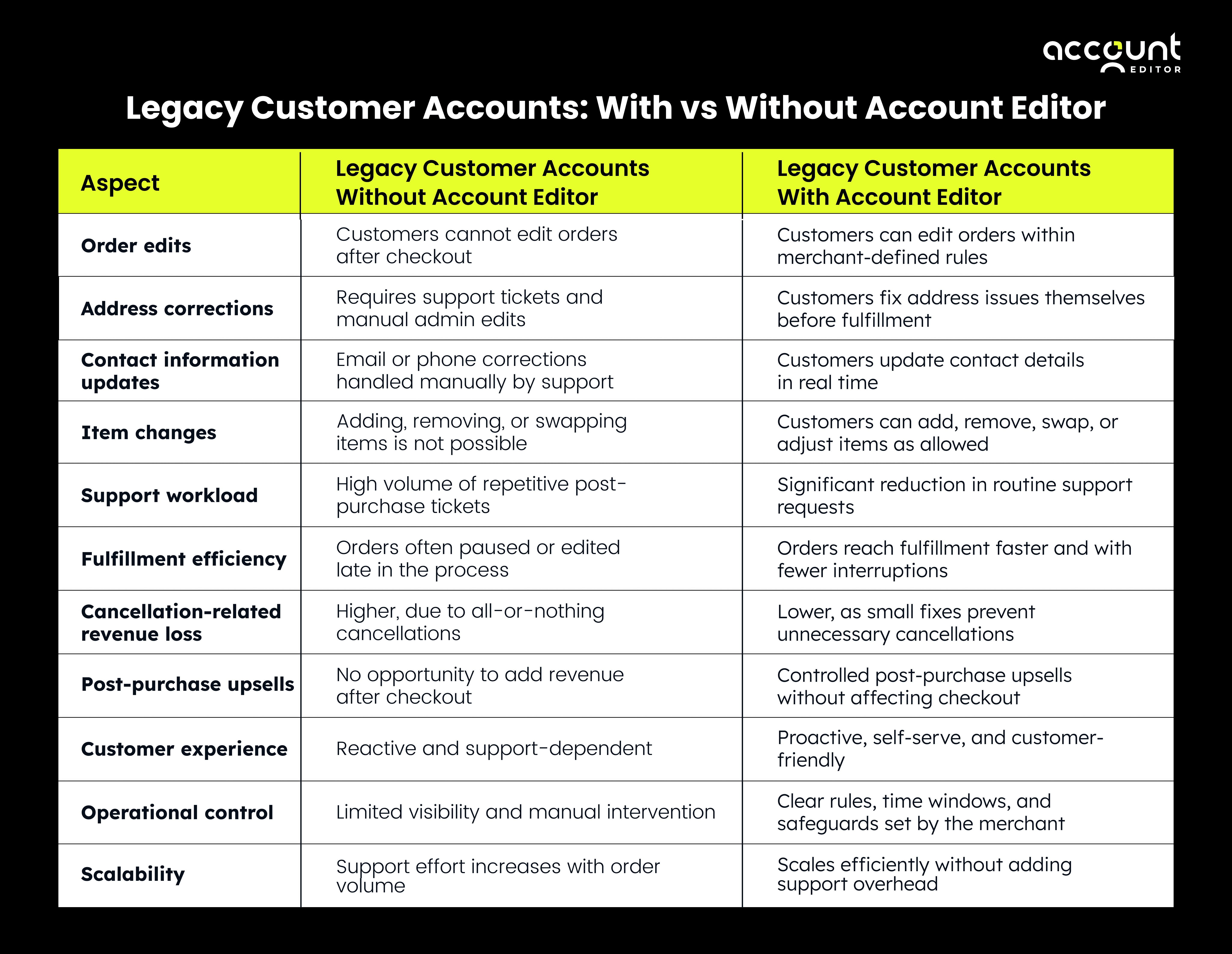
Legacy Customer Accounts: With vs Without Account Editor
Conclusion: Improve Post-Purchase CX Without Changing Your Account System
Customer experience on Shopify isn’t defined by how customers log in, it’s defined by what they can do after checkout. For many merchants, Shopify legacy customer accounts already serve their purpose for authentication and order visibility. The real gap has always been the lack of post-purchase flexibility.
With Account Editor now available for legacy customer accounts, merchants no longer need to choose between stability and better customer experience. They can reduce support tickets, prevent unnecessary cancellations, and give customers controlled self-service without migrating account systems or disrupting existing workflows.
Improving post-purchase CX doesn’t require a rebuild. It requires the right layer in the right place.