
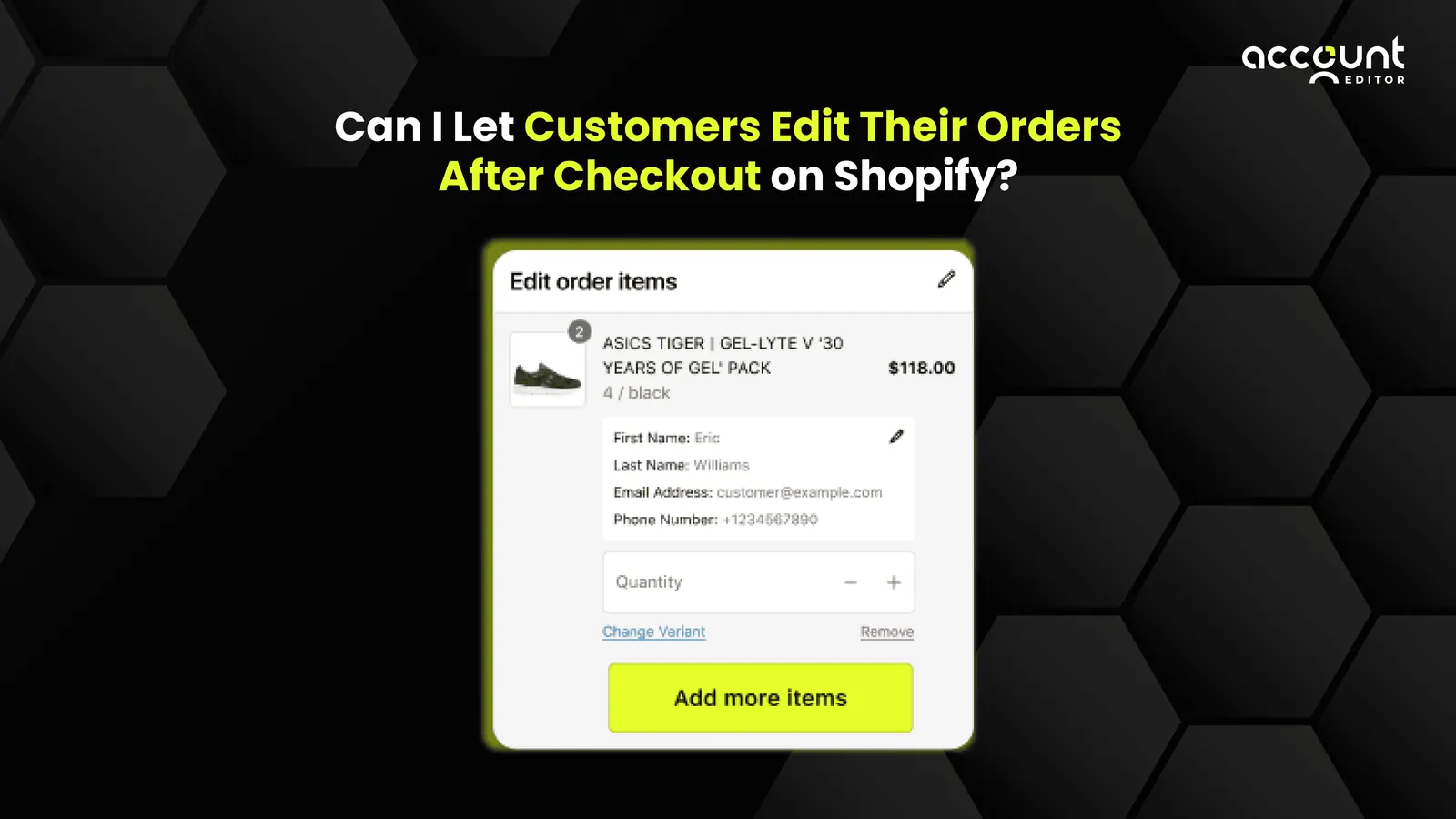
You know that moment right after a customer places an order, when they realise they entered the wrong size, selected the wrong variant, or mistyped their shipping address?
It happens a lot. In fact, according to Shopify community discussions and ecommerce support data, up to 60% of post-purchase support tickets relate to simple order changes like address fixes, size swaps, or product quantity adjustments.
That leads to a support ticket, manual fix, or worst-case: cancellation and lost revenue.
Traditionally, these small edits trigger a long, frustrating back-and-forth between customers and support teams. But what if you could let customers fix those mistakes themselves?
That’s where self-serve order editing on Shopify comes in, a feature that’s transforming post-purchase experiences, reducing cancellations, and saving hours of manual support work.
This blog answers the big question: “Can I let customers edit their orders after checkout on Shopify?” We’ll explore what post-checkout order editing really means, why it’s becoming essential for Shopify merchants, and how tools like Account Editor make it seamless and secure.
What Is Post-Checkout Order Editing?
At its core, post-checkout order editing is the ability for a merchant or even the customer to change key parts of an order after it has been placed. That includes: adding or removing products, swapping variants (colour/size), adjusting quantities, updating shipping address or method, applying discounts, or changing fulfilment details. In the context of Shopify, this means using the platform’s native tools or an app to support “edit Shopify order after checkout” workflows.
From a customer perspective, it becomes a portal or link where they can hit “Oops, I messed up my order” and fix it themselves, rather than raising a ticket. From a merchant perspective, it becomes a process to reduce fulfilment errors, cancellations and manual work.
Definition: Post-checkout order editing is the ability for customers or merchants to modify an order after it has been placed but before it’s fulfilled.
Why does this matter?
In eCommerce, the moments after checkout are just as critical as the ones before it. A strong Shopify post-purchase experience can make or break customer trust.
1. Support cost & customer expectations
For e-commerce brands, handling support tickets is a major cost centre. According to data from 12,000 e-commerce brands, the average brand receives 882 support tickets per month. (Gorgias) Worse: roughly 27% of customers reach out to support at some point during the buying journey. (Gorgias)
Many of these tickets are around order status, order change or cancellation. The implication: offering a way for customers to edit their order themselves cuts costs.
Separately, customer expectations are growing rapidly. For example, 88% of customers say they have higher expectations now than ever before. (Tidio)
And 68% of support leaders plan to focus more on self-serve tools. (Hubspot)
A smooth edit-after-checkout experience meets that expectation.
2. Business opportunities
Beyond cost reduction, enabling post-purchase edits creates upside:
• Lower cancellations and refunds: If customers can fix mistakes rather than cancelling, you retain the sale.
• Higher average order value (AOV): Apps that enable “add item after order” or “upgrade shipping” can drive incremental revenue.
• Better customer experience & loyalty: Giving customers control builds trust; 81% say a positive experience increases their likelihood to purchase again. (Tidio)
• Operational accuracy: When edits happen early (before fulfilment), you reduce shipping wrong items, restocking costs and 3PL errors.
In short, enabling Shopify post-purchase order editing is not just a technical feature; it’s a business differentiator.
Why Shopify’s Default Order Support Falls Short
While Shopify does support order editing, the native capabilities have limitations, which mean many merchants still can’t fully offer true self-service editing for customers. Here are key constraints:
Native support summary
Shopify’s official docs say you can edit orders to add/remove items, adjust quantity, add shipping fees or discounts. (Shopify)
Important considerations and limitations
• You cannot edit line items that are already fulfilled. If part of the order has shipped, edits are blocked. (Shopify)
• Edits made after the day the order was placed may show up as a separate order in reports, distorting analytics such as AOV or orders over time. (Shopify)
• Orders created via some apps (or imported) may not be editable. (Shopify)
• Shipping rates are not automatically recalculated when order weight/dimensions change. You must manually charge extra shipping if needed. (Shopify)
• Subscription/pre-paid orders often cannot be edited in the same way. (Shopify)
Because of these constraints, a merchant offering “let the customer edit their order themselves” must often build additional logic: restrict editing window, integrate with fulfilment/3PL, handle payment/refund flows, and handle shipping and inventory changes. The native Shopify order-editing feature is a good baseline, but on its own, it doesn’t solve the full Shopify self-service order editing scenario.
That’s where a dedicated solution like Account Editor comes in.
How Account Editor Solves the Limitations
Account Editor transforms how post-purchase changes are handled by giving shoppers the power to self-serve order edits, without needing to contact your support team. It’s designed specifically for Shopify stores that want to enhance flexibility and reduce manual work.
Here’s how it solves the problem end-to-end.
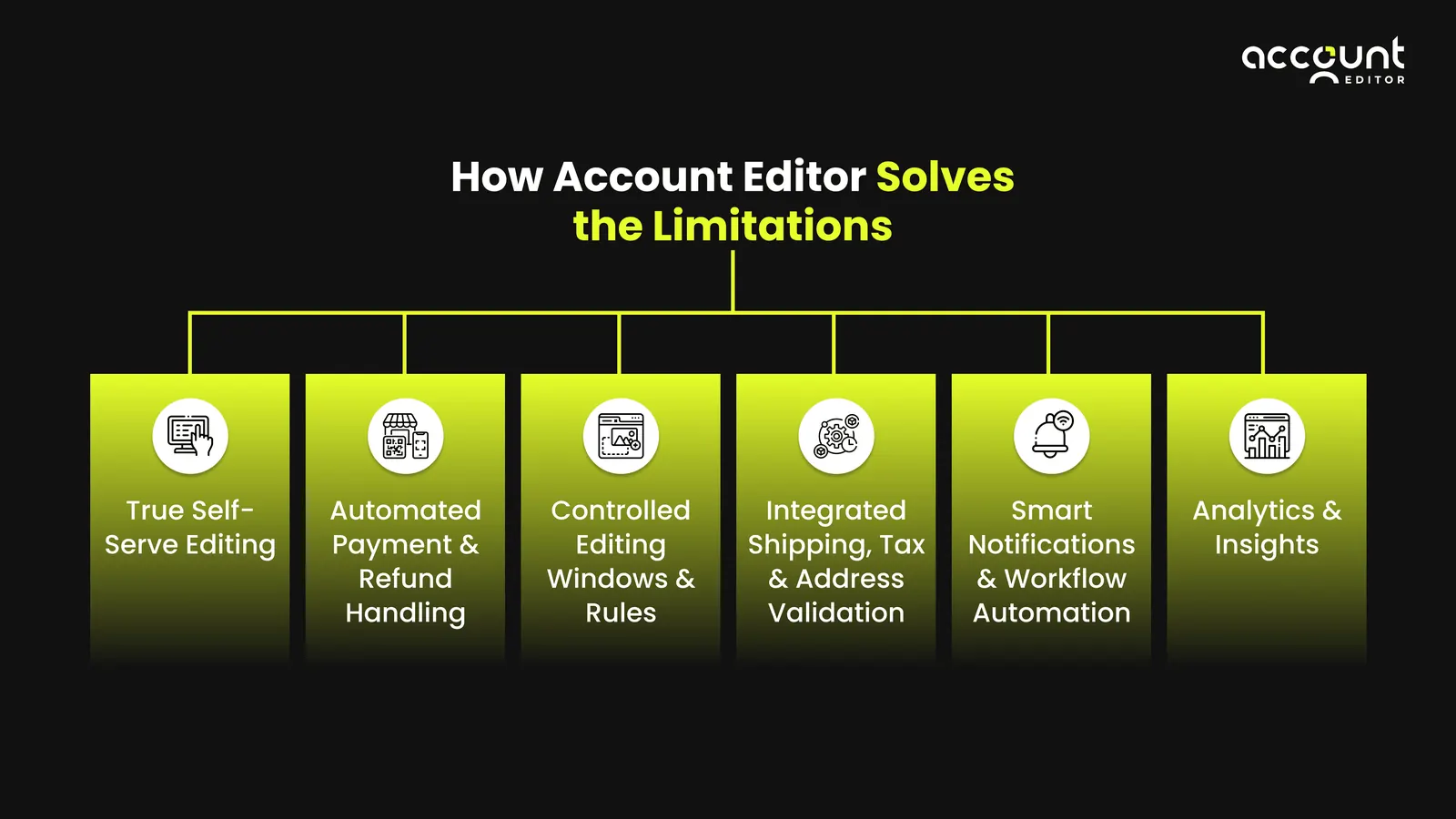
1. True Self-Serve Editing
Instead of relying on customer-service intervention, Account Editor adds an “Edit Order” widget directly to the Thank-You page or Order Status page, giving shoppers the freedom to correct mistakes instantly. Shoppers can update shipping address, swap items or variants, change quantities, or even add new products, all without leaving Shopify.
2. Automated Payment & Refund Handling
When an edit increases the total, Account Editor automatically generates a payment request or invoice; when it decreases, it can issue a partial refund or store credit, no manual action needed. This ensures every Shopify edit order after purchase remains accurate, reconciled, and compliant.
3. Controlled Editing Windows & Rules
Merchants can define exactly how long edits are allowed, 15 minutes, 2 hours, 24 hours, or until fulfilment begins. Timeframes can vary by product type, tag, or order value. These granular controls prevent post-fulfilment conflicts while empowering customers early in the process.
4. Integrated Shipping, Tax & Address Validation
Account Editor handles recalculation automatically. Re-requests Shopify’s rate engine to update shipping and taxes when the delivery address changes. Uses built-in Google Maps validation to block undeliverable addresses and reduce carrier-return costs. That means every edit Shopify order after checkout remains carrier-compliant and tax-accurate, without a single support ticket.
5. Smart Notifications & Workflow Automation
Account Editor syncs with Shopify Flow to trigger post-edit notifications like “Order Edited” confirmations to customers and staff, “Payment Pending” reminders if an added item isn’t yet paid. All communications are white-labelled and multi-language-ready, supporting stores operating across regions.
6. Analytics & Insights
The built-in dashboard shows exactly how many orders customers have modified, how much app-attributed revenue those edits generated, and how many cancellations were prevented. You can track orders edited, upsell revenue, self-service cancellations, and a reduction in support tickets. By visualising these metrics, merchants can know the effect of post-purchase order editing.
Key Features for Allowing Customers to Edit Their Orders
When designing or choosing a solution to let customers edit orders, here are the features you should look for:
1. Customer-facing portal or editing link: Enable the customer to click a link to edit their order themselves.
2. Controlled editing window: Define how long after checkout the edit window remains open (e.g., 30 minutes, 2 hours, up until fulfilment).
3. Variant/quantity swaps & address updates: Allow variant-swaps (size, colour), increase/decrease quantity, update shipping address, add custom services (gift wrap).
4. Payment/refund logic: If the edit increases the order total, invoke invoice/payment. If it decreases, issue refund or store credit.
5. Inventory & fulfilment sync: When edits happen, inventory must update, and 3PL/warehouse must reflect changes to prevent shipping wrong items.
6. Notification & customer communication: Send confirmation to customer after edit and update order timeline.
7. Upsell or cross-sell post-purchase: The edit process is an ideal moment to present relevant upsell offers (e.g., “You swapped size, would you like premium shipping?”, “Add a gift box now”.) This ties into how your brand can use self-service order editing to increase revenue.
Business benefits & metrics to watch
Core benefits
• Fewer cancellations / refunds: By letting customers fix errors rather than cancelling or returning, you retain more orders and reduce cost of handling returns.
• Reduced support ticket volume: If you let customers edit their orders, you can divert a portion of “change my order” requests away from your support team. Given that order-change is one of the top reasons for contact (see above), the impact is meaningful.
• Higher AOV and incremental revenue: Post-purchase edits can include upsells (e.g., upgrade shipping, add items). Some merchants report incremental revenue from edit apps.
• Improved customer experience: Increasingly, shoppers expect flexibility. Brands offering it can win loyalty and repeat purchase.
• Operational efficiency: Eliminating manual edit handling reduces manual work, speeds fulfilment, reduces errors.
Metrics to track
• Support tickets involving “order change/edit” as % of total tickets
• % of orders edited by customers via self-service vs manually handled
• Cancellation rate before and after implementing edits
• Refund rate impact of changes
• Average order value (AOV) and incremental revenue from edits/upsells
• Fulfilment error rate (wrong item shipped)
Risks, trade-offs & best practices
Risks and trade-offs
1. Fulfilment/3PL mismatch: If an edit happens after fulfilment has already started, you risk shipping the wrong item or duplicate items. Shopify’s docs warn that editing fulfilled items isn’t allowed. (Shopify)
2. Shipping/weight change issues: Changing items may change shipping weight/dimensions; shipping rates are not automatically recalculated. Manual adjustments are needed. (Shopify)
3. Analytics distortion: Edits made after the day the order was placed may count as a new order in some Shopify reports, skewing metrics. (Shopify)
4. Inventory mismatch / overselling: Without strong inventory sync, edits increase risk of overselling or stock inaccuracies.
5. Payment/refund complexity: Handling changes in price means you must manage additional charges or refunds. Poorly handled, you risk customer dissatisfaction or financial errors.
6. Scope creep: Too generous edit windows or too many editable fields might increase complexity, error risk, or fraud.
Best Practices
1. Configurable Editing Window: Merchants can define exactly how long customers are allowed to make changes, 15 minutes, 2 hours, 24 hours, or until the order is fulfilled. Once this window closes, the edit option disappears automatically, preventing late edits from disrupting fulfilment.
2. Granular Control Over Editable Fields: You decide what customers can modify: address, variant, quantity, or items. Order-level and product-level tag restrictions let you disable editing for wholesale, pre-orders, or personalised products, keeping sensitive orders protected.
3. Automated Payment and Refund Adjustments: When customers increase their order total, there should be automatic generation of a payment request or invoice. If they remove items, it triggers a refund or adjusts the balance—no manual calculations or staff actions required.
4. Real-Time Fulfilment and Inventory Sync: Edits instantly update in Shopify Admin and sync across fulfilment and 3PL systems through Shopify’s Fulfilment Orders API. This ensures warehouses always see the latest order details and eliminates duplicate shipments.
5. Automatic Shipping and Tax Recalculation: Whenever a shipping address or order total changes, the system should re-request Shopify’s shipping rate engine and update taxes accordingly. This keeps post-edit invoices accurate and compliant.
6. Built-In Address Validation: Integrated Google Maps validation checks every edited address in real time, preventing customers from entering undeliverable or incomplete destinations, reducing carrier returns and last-mile issues.
7. Smart Notifications and Reminders: Account Editor sends automatic notifications for edited orders, pending payments, and expiring edit windows. Staff and customers are kept fully informed without any manual communication.
8. Edit Tracking and Analytics Dashboard: Every edited order is tagged automatically, and the dashboard displays live metrics like Orders Edited, Upsell Revenue, and Cancellations Prevented. This gives merchants clear visibility into the impact of order edits on revenue and support workload.
9. Localised and Branded Experience: Merchants can fully customise button labels, confirmation messages, and notifications in multiple languages. This ensures a branded, consistent, and trustworthy post-checkout experience across markets.
Conclusion
In answer to the question “Can I let customers edit their orders after checkout on Shopify?” Yes, absolutely. By using self-serve order editing tools that’s absolutely possible.
Using a solution such as Account Editor allows you to build a workflow where the customer edits their order themselves, rather than generating manual support tickets. The benefits are tangible: fewer tickets, lower cancellations, higher AOV, better CX. But to get it right you’ll need to carefully manage edit windows, synchronise fulfilment, track metrics, and measure results.
If you’re running a Shopify store and still handling “change my order” emails manually, it may be time for a change. Start by mapping your current support volume, identify how many tickets are order edits, choose an app or build your flow, pilot the self-service window, and monitor the key metrics listed above. With the right setup you can turn post-purchase chaos into a streamlined, revenue-generating loop.
Explore Account Editor today and give customers the flexibility to edit their orders.