How to Increase Average Order Value on Shopify Using Product Upsells
For most Shopify merchants, growing revenue by bringing in more traffic is costly and hard to scale. That's why many store owners focus on Average Order Value (AOV), earning more from each order instead of spending more on ads.
On Shopify, one of the most common ways to increase AOV is through checkout upsells. Checkout is the point where customers are already ready to buy, so suggesting a relevant add-on or upgrade can increase the order value without requiring another purchase.
However, Shopify is built to keep checkout fast and distraction-free. Because of this, upsell options at checkout are intentionally limited. If too many offers are shown, checkout can feel slow or confusing, which may lead to abandoned orders.
Research Shows that:
Baymard Institute consistently shows that complex checkout experiences increase abandonment
E-commerce benchmarks indicate that even a small AOV increase (around 10–15%) can significantly impact revenue without adding traffic costs.
What Is Average Order Value (AOV) in Shopify?
Average Order Value, commonly called AOV, is a core performance metric in Shopify that shows how much money a store earns on average from each completed order. Instead of focusing on how many customers place orders, AOV focuses on the value of each order.
From a business perspective, AOV helps merchants answer an important question. Are customers buying only the main product, or are they adding extra items that increase the total order value? This makes AOV a strong indicator of how effective a store's product presentation, pricing, and upsell strategies are.
Shopify includes AOV directly in its analytics because it plays a major role in revenue growth. Two stores can have the same number of orders, but the store with a higher AOV will generate more revenue with the same traffic and effort.
How AOV Is Calculated in Shopify
Shopify calculates AOV using a simple and transparent formula that is easy for merchants to understand and track.
Total revenue divided by the total number of orders
For example, if a Shopify store earns $30,000 from 600 orders, the AOV is $50. This number updates automatically in Shopify analytics as new orders are placed or refunded.
This simple calculation makes AOV very practical. Merchants can quickly see whether changes like product bundles, upsells, or pricing adjustments are increasing the value of each order. Because the formula is straightforward, it is also easy to compare AOV across different time periods, such as before and after a promotion.
AOV often matters more than traffic because traffic growth usually requires additional marketing spend. In contrast, AOV improvement increases revenue from customers who are already buying.
Why Increasing AOV Is More Sustainable Than Increasing Traffic
Increasing traffic usually depends on paid ads, partnerships, or ongoing marketing campaigns. These methods can be effective, but they also increase costs and operational complexity. Higher traffic often leads to more support requests, more fulfillment work, and higher return volumes.
Increasing AOV takes a different approach. Instead of bringing in more shoppers, it focuses on increasing the value of each purchase.
This approach is more sustainable for several reasons:
Revenue increases without a matching increase in ad spend
The same number of orders generates more income
Fulfillment and support workloads remain more predictable
Industry benchmarks consistently show that even a modest AOV increase of around 10 to 15 percent can have a noticeable impact on total revenue. For many Shopify merchants, this makes AOV optimization one of the safest and most controllable growth strategies.
Why Many Shopify Stores Struggle to Increase AOV
Even when Shopify merchants understand that increasing AOV can grow revenue, many find it difficult to do in practice. The challenge usually comes from how customers behave during shopping and how checkout is intentionally designed on Shopify.
Most AOV issues are not caused by poor strategy. They are caused by structural and behavioral limits that merchants need to work within.
One-Product Purchases and Limited Cart Expansion
A large number of Shopify stores operate with focused product catalogs. Customers often arrive with a clear intent to buy one specific item, especially when traffic comes from ads or direct product links.
This creates a natural limit on AOV because:
Customers do not spend time browsing multiple products
The cart is built around a single main item
The buying decision happens early in the journey
In these cases, customers reach checkout quickly. There are fewer opportunities to introduce additional products before the order is placed, which makes cart expansion harder.
This behavior is very common in DTC brands and niche Shopify stores, which helps explain why AOV can remain flat even as traffic increases.
Fear of Hurting Checkout Conversion Rates
Checkout is the most sensitive stage of the shopping journey. Merchants know that once a customer reaches checkout, the priority is completing the purchase without friction.
Because of this, many Shopify store owners hesitate to introduce upsells at checkout. Their concerns are practical and justified:
Extra offers can slow down the checkout process
Too many options can distract customers
Any confusion at checkout can lead to abandonment
Shopify Checkout Customization Limitations
Shopify is designed to keep checkout fast, secure, and consistent across stores. To protect this experience, Shopify intentionally limits how much merchants can customize checkout.
At a high level:
Checkout is not intended for complex selling flows
Only certain types of changes are supported by design.
Checkout is optimized for completion, not exploration
What Are Checkout Upsells on Shopify?
Checkout upsells on Shopify are additional products or value suggestions shown to customers when they are close to completing their purchase. The goal of these upsells is simple: increase the order value without interrupting the buying decision the customer has already made.
At this stage, customers are focused on payment and order completion. That’s why checkout upsells work best when they are lightweight, optional, and clearly relevant to what the customer is already buying. Instead of pushing a new decision, they support the existing one.
Shopify treats checkout as a high-trust, high-conversion environment. To protect that trust, checkout upsells are intentionally limited in scope. They are meant to add small, logical value without slowing the checkout process or introducing friction.
It’s also important to understand that checkout upsells are only one part of the upsell picture on Shopify. Once an order is placed, upsell opportunities don’t automatically disappear. This is where post-checkout solutions like Account Editor come into play, enabling merchants to capture additional order value after checkout, when customers realize they want to add more items or adjust quantities without forcing a new checkout flow.
Where Checkout Upsells Can Appear on Shopify
Shopify limits where upsells can appear during checkout to keep the experience clean and predictable. Upsells are typically placed in checkout adjacent areas that do not interrupt the payment flow.
In practice:
Upsells appear only in Shopify-supported checkout areas
They are shown before or alongside order confirmation steps
They do not block or delay payment completion
The availability and placement of checkout upsells can also depend on a store’s Shopify plan and checkout setup. Shopify keeps these constraints neutral and consistent so that checkout behavior remains stable across stores.
These limits exist to protect conversion rates and reduce the risk of customer confusion during the final stage of purchase.
Common Types of Checkout Upsells
Because checkout needs to stay fast and focused, most checkout upsells on Shopify fall into a few simple and familiar categories. These types are easier for customers to understand and accept quickly.
Common checkout upsells include:
Add-ons that complement the main product, such as accessories or related items
Quantity nudges that encourage customers to add one more unit of the same product
Threshold-based offers that help customers reach free shipping or discount limits
These upsells work best when they feel helpful rather than promotional.
Five upsell categories that consistently lift AOV: Beyond the basic add-on and quantity nudges Shopify supports natively at checkout, there are five proven upsell patterns that work across product types and store sizes: complementary product add-ons, post-purchase one-click offers, quantity-based upsells (buy more, save more), product upgrades and premium versions, and shipping, protection, or convenience upsells. Each one targets a different moment in the buying journey, from cart to post-purchase, and each has a distinct conversion profile (tiered/quantity offers often lift AOV by 15 to 30 percent on consumables; service-based upsells like priority shipping or order protection can hit 20 to 40 percent acceptance when presented clearly). For the full breakdown of each upsell type, where it converts best, and the placement that maximizes impact, read 5 Proven Upsell Opportunities That Boost Shopify AOV.
How Checkout Upsells Help Increase AOV on Shopify
Checkout upsells help increase AOV by making small, relevant additions available at the moment when customers are already committed to buying. On Shopify, this moment is important because the purchase decision is already made, and customers are focused on completing their order.
When checkout upsells are used carefully, they increase order value without changing customer intent or adding extra friction to checkout.
Encouraging Add-On Purchases at the Right Moment
Checkout is the point where customers have the highest buying intent. They have chosen a product, reviewed the price, and entered payment details.
At this stage:
Customers are more open to small, relevant add-ons
The add-on feels like a natural extension of the main product
The decision requires less thinking than earlier in the journey
For example, a customer buying a product may be willing to add a related accessory because it improves the original purchase. Customers are generally more open to relevant add-on offers once they have decided to complete their purchase, compared to earlier stages when they are still evaluating options.
Increasing Order Size Without More Traffic
One of the biggest benefits of checkout upsells is that they increase revenue without requiring additional visitors. Instead of bringing in more traffic, merchants earn more from customers who are already converting.
This matters because:
Traffic acquisition often depends on paid ads
Advertising costs continue to rise across e-commerce
Checkout upsells work with existing demand
From Shopify’s perspective, increasing average order value is an efficient way for merchants to grow revenue because it helps them earn more from existing customers without relying solely on additional traffic or higher marketing spend.
Using Urgency and Relevance to Lift AOV
Checkout upsells are most effective when they feel relevant and time-sensitive rather than promotional. Customers respond better when the offer clearly connects to what they are already buying.
Effective checkout upsells usually:
1. Match the main product or use case
2. Are easy to understand at a glance
3. Feel optional and low risk
Light urgency can also help, such as reminding customers that an offer is only available with the current order. This works because checkout is a natural decision point. Customers understand that once the order is placed, making changes later is not always straightforward.
That same behavior explains why post-checkout order editing tools matter. When customers miss that moment and want to add items after placing an order, solutions like Account Editor allow merchants to extend upsell opportunities beyond checkout while keeping the original purchase intact and aligned with Shopify’s platform rules.
Checkout Upsells vs Post-Purchase Upsells on Shopify
Checkout upsells and post-purchase upsells both aim to increase AOV, but they work at very different moments in the customer journey. On Shopify, these two approaches serve different purposes and come with different risks and benefits.
Understanding the difference helps merchants decide when to use checkout upsells carefully and when it is better to wait until after the order is placed.
Key Differences Between Checkout and Post-Purchase Upsells
The biggest difference between checkout and post-purchase upsells is timing. Checkout upsells appear before payment is completed, while post-purchase upsells appear after the customer has already placed the order.
Here is a simple comparison to make this clear:
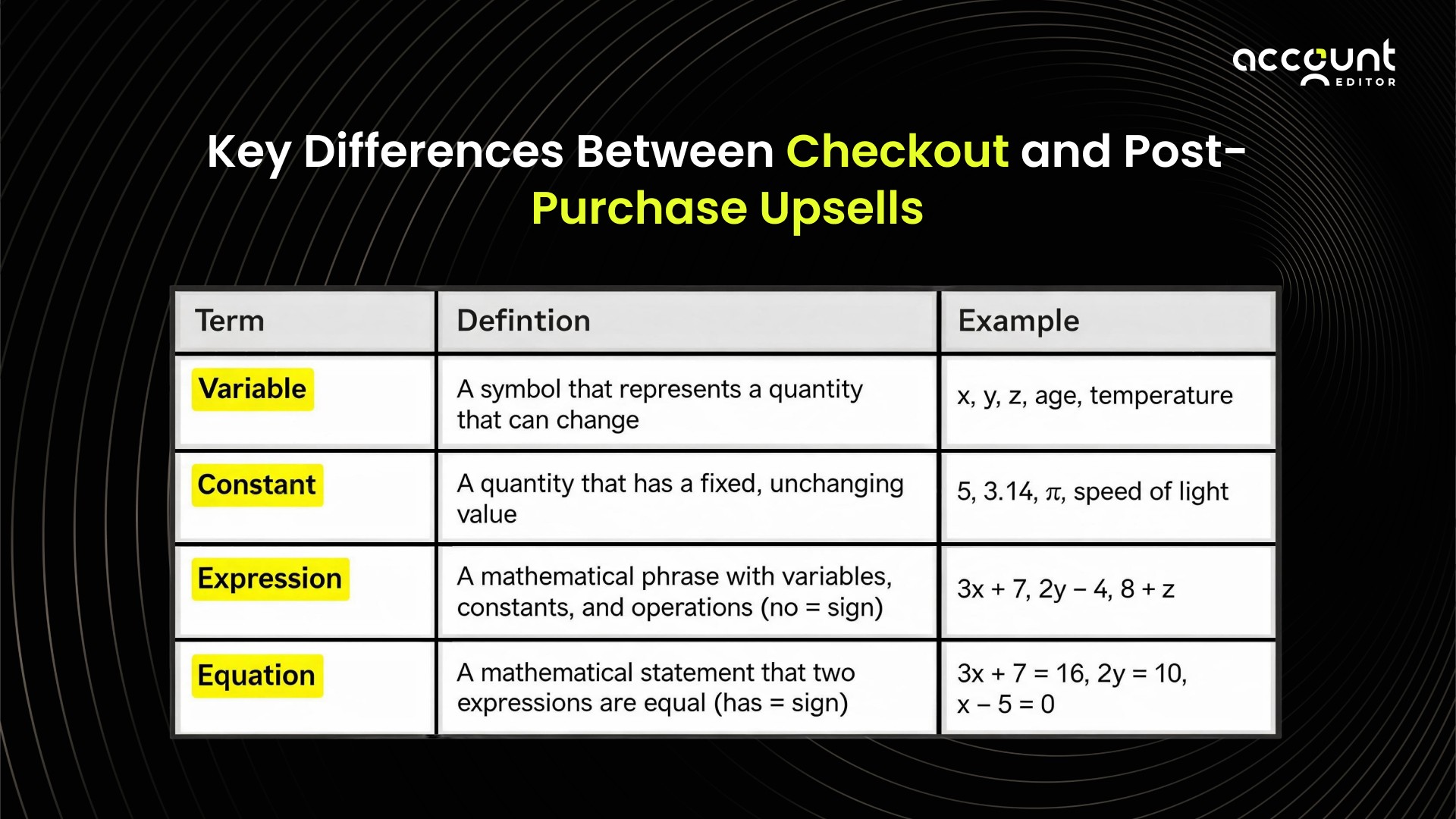
This difference is important because checkout is a sensitive stage. Post-purchase happens when the buying decision is already complete.
When Checkout Upsells Work Best
Checkout upsells work best when the offer is small, relevant, and easy to understand. At checkout, customers are not exploring options. They are completing a task.
Checkout upsells are most effective when:
The product directly complements what the customer is buying
The price is low and does not require consideration
The action to accept the offer is quick
In these situations, checkout upsells can increase order value without slowing down the checkout process. This is why many Shopify stores limit checkout upsells to accessories, add-ons, or quantity increases.
When Post-Purchase Upsells Are the Better Option
Post-purchase upsells are often the best choice when an offer needs more explanation or when the product has higher value. At this stage, the customer has already completed payment and doesn’t feel pressured to make a quick decision. These upsells work particularly well when:
The product requires explanation or context
The price is higher than a simple add-on
The offer feels like a natural extension of the original order
Since post-purchase upsells don’t interfere with checkout, they carry much less risk, making them ideal for merchants who want to increase average order value (AOV) without worrying about checkout abandonment.
Tools like Account Editor make this process simple. Merchants can allow customers to Upsell their orders. These options can be displayed on the After Checkout Page, Thank You Page, and Order Status Page, because customers usually visit these pages, making it easy for them to adjust their orders or accept upsell offers.
By using Account Editor in this way, merchants can grow revenue without introducing checkout friction, offering a flexible and low-risk path to higher order values while keeping the original checkout experience intact and fully aligned with Shopify’s platform rules.
How Shopify Merchants Increase AOV Without Hurting Checkout
Many Shopify merchants want to increase AOV but are careful not to risk checkout performance. Over time, experienced store owners learn that checkout is not the only place where order value can grow. Instead of pushing more offers before payment, they extend the buying journey beyond checkout.
On Shopify, this approach aligns well with how the platform is designed. Checkout remains clean and focused, while additional value is created after the order is already placed.
Extending the Buying Journey Beyond Checkout
The buying journey does not end when payment is completed. After checkout, customers often return to the order status page to check delivery details, confirm their order, or review what they purchased.
This post-purchase moment is important because the customer is no longer under pressure to complete payment. Their mindset shifts from decision-making to confirmation and anticipation. This makes them more open to relevant follow-up actions.
Many Shopify merchants use this stage to:
Reinforce the purchase decision
Offer helpful next steps
Create additional value without interrupting checkout
Because these interactions happen after payment, they do not affect checkout conversion rates. This makes the post-purchase stage a safer place to support AOV growth.
Letting Customers Add or Adjust Items After Purchase
One practical way merchants increase AOV after checkout is by allowing customers to add items or adjust their order shortly after purchase. This reflects real customer behavior. Shoppers often realize they forgot something or decide they want an additional item once the order is placed.
Shopify supports post-purchase order updates through approved workflows, and many merchants choose tools that operate specifically in this phase. Tools like Account Editor are designed to work within Shopify’s post-purchase experience, allowing customers to make changes to their order without touching checkout. This approach benefits both sides. Customers feel more in control of their purchase, and merchants increase order value without introducing risk at checkout. Instead of forcing upsells during payment, value is added naturally after the order is already confirmed.
The post-purchase playbook for AOV growth: Letting customers add items after checkout is just the start. The full post-purchase AOV system includes Thank You and Order Status page upsells (which convert higher than pre-purchase because payment is already complete), edit windows that let shoppers add forgotten items with zero friction, bundles and cross-sells offered during the edit window so margins stay strong without discounting, and shipping upgrades that lift effective order value without changing the product mix. Shopify Flow automations tie it all together by triggering the right offer at the right moment and recalculating shipping, taxes, and inventory automatically when an edit happens. Merchants running this playbook commonly see meaningful uplifts: one fashion-store example raised AOV from $62 to $69 just by enabling a 20-minute add-item window, and a skincare brand recovered roughly $4,200 a month from post-purchase upsells while cutting cancellations 15 percent. For the full workflow, Flow recipes, AOV calculator, and merchant scenarios, read How to Increase AOV with Post-Purchase Order Editing for Shopify Stores.
Best Practices to Increase AOV on Shopify
Increasing AOV on Shopify works best when merchants balance revenue growth with customer experience. The goal is not to push more offers, but to place the right opportunities at the right moment without creating friction.
Merchants who consistently grow AOV follow a few proven principles that respect how customers shop and how Shopify is designed to work.
Combine Checkout and Post-Purchase Upsells
Checkout and post-purchase upsells are most effective when they are used together, not treated as separate strategies. Checkout upsells work well for small and obvious additions, while post-purchase upsells provide more flexibility once the order is already placed.
By combining both, merchants can:
Use checkout for simple add-ons without slowing payment
Use post-purchase moments for more thoughtful or optional additions
This approach spreads AOV growth across the full buying journey instead of concentrating all pressure at checkout. It also reduces the risk of hurting conversion rates while still increasing order value.
Keep Checkout Clean and Fast
Checkout performance directly affects revenue. Even small delays or distractions can cause customers to abandon their purchase. Shopify is designed to keep checkout focused, and merchants benefit when they follow the same principle.
Successful stores treat checkout as a place for completion, not exploration. They limit upsells to what is truly relevant and avoid adding multiple choices that require decision-making. This keeps checkout fast, predictable, and trustworthy for customers.
Industry research consistently shows that faster and simpler checkout experiences lead to higher completion rates, which makes protecting checkout performance a top priority when working on AOV.
Focus on Customer-Initiated Upsells
Customer-initiated upsells tend to perform better than forced offers. These upsells allow customers to take action when they feel ready, instead of being pushed during payment.
Post-purchase actions such as adding an item or adjusting an order are strong examples of this approach. Customers often realize after checkout that they want to include something extra. Allowing this behavior feels natural and helpful rather than promotional.
If you want to increase AOV without adding friction to checkout, explore how Account Editor helps Shopify merchants create post-purchase flexibility that customers actually use.