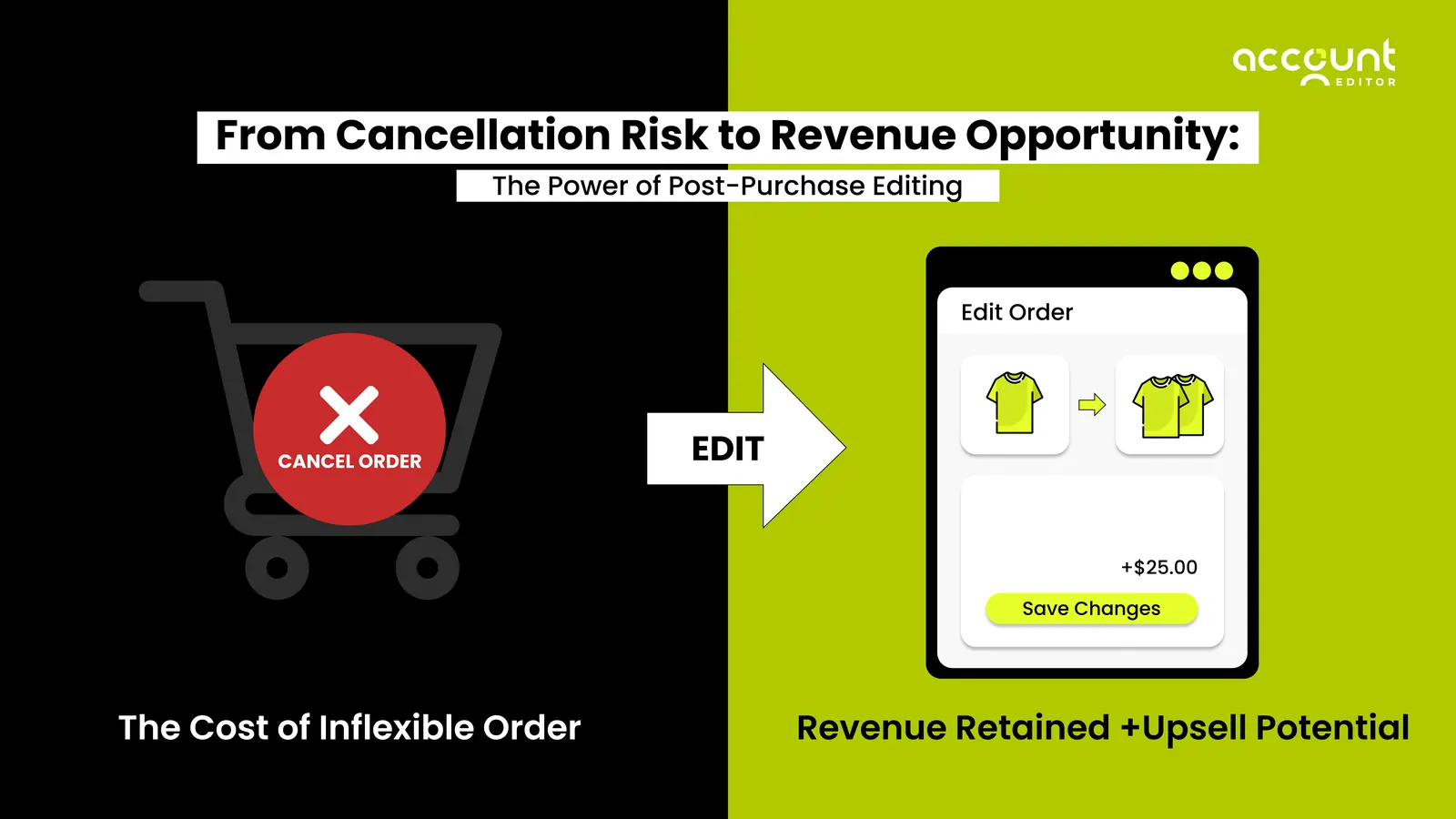
Most merchants try to increase AOV before checkout, but the real opportunity happens after the order is placed. This is where customers are most confident, most engaged, and most willing to upgrade their purchase. With post-purchase order editing, shoppers can fix mistakes, add forgotten items, or accept perfectly timed upsells that boost Average Order Value with almost no friction.
This guide shows how Shopify merchants are turning the post-purchase moment into a powerful revenue engine. You will learn the exact workflows, automations, and high-intent strategies that increase AOV consistently while recovering revenue that would otherwise slip away. If you want a smarter way to grow without bigger ad spend, this is where it starts.
What AOV Means for Shopify Merchants
AOV, or Average Order Value, is one of the most important metrics for Shopify merchants because it shows how much revenue you earn from every order. Higher AOV means more profit per customer, more efficient ad spend, and healthier margins across the entire store. When you increase AOV through post-purchase optimization or order editing, you improve both revenue and retention without relying on constant discounting or expensive acquisition.
The AOV Formula with a Simple Shopify Example
The formula for AOV is simple:
AOV = Total Revenue divided / Total Orders
If your Shopify store generates $100,000 in revenue from 200 orders, your AOV is $500.
To make this easy for merchants, you can use an AOV calculator for Shopify, which helps you measure baseline AOV and track improvements from post-purchase upsells, added items after checkout, and reduced cancellations.
Proven Post-Purchase Strategies to Increase AOV on Shopify
These strategies go beyond basic AOV tips. They tap into real customer behaviour and the momentum that happens right after checkout. When shoppers feel confident and excited about their purchase, they are naturally more open to adding value to their order. Post-purchase optimization turns this moment into a simple, stress-free way to increase AOV through helpful edits, relevant upsells, and small upgrades that feel effortless to the customer.
1. Use Post-Purchase Upsells on the Thank You and Order Status Page to Lift AOV
The moment a customer completes their order is a powerful one. They already trust your store, they are thinking about their purchase, and they are still in discovery mode. This is why post-purchase upsells consistently outperform pre-purchase upsells.
Instead of interrupting the buyer mid-checkout, you are offering helpful add-ons when their decision is already made.
How this drives AOV:
Upsell offers like accessories, warranty, or size add-ons increase Average Order Value immediately.
Thank You page upsells convert higher than pre-purchase because the buyer has already completed payment.
Order Status page upsells allow customers to boost AOV while tracking their order.
2. Allow Customers to Add Items After Checkout to Raise AOV with Zero Friction
One of the easiest ways to increase AOV is to let customers add something they forgot right after checkout. Many shoppers instantly realize they missed an accessory or an extra item. When you allow post-purchase additions, you turn that moment into effortless extra revenue without adding friction to the experience.
Here is why this boosts AOV so effectively:
Every added item increases total revenue while the order count stays the same, which lifts your AOV instantly.
Customers already show high intent because they are still thinking about their purchase, so these add-ons convert unusually well.
Fewer customers cancel or reorder to fix mistakes, which improves overall AOV across completed orders.
This simple post-purchase action gives customers flexibility and gives merchants a reliable, low-effort way to increase order value on every sale.
3. Use Bundles and Cross-Sell Logic During the Edit Window to Increase AOV Without Discounting
Bundles and cross-sells become far more effective when offered during the edit window. Customers can still adjust their order, so suggesting a complementary item or a value bundle feels natural and helpful. This lifts AOV without relying on discounts because:
Cross-sells add to the basket size while keeping margins strong.
Bundles encourage multi-item purchases that raise Average Order Value.
The edit window gives shoppers freedom to upgrade before fulfillment begins.
This simple timing shift makes every order edit an opportunity to increase AOV while keeping operations safe and predictable.
4. Offer Shipping Upgrades After Checkout to Increase Effective AOV
Shipping upgrades are an easy way to increase AOV because customers often choose faster or premium delivery once their order is placed. These upgrades add extra revenue to the order without changing the products, making them a low effort, high impact AOV booster.
AOV improvement logic:
Premium express shipping adds revenue to the order and increases AOV without raising product costs.
Many shoppers willingly pay more for faster delivery when urgency or excitement is high.
Shipping recalculation keeps pricing accurate as delivery options change, ensuring the final AOV reflects the upgraded service.
This simple post-purchase offer helps merchants increase order value while giving customers a better delivery experience.
How to Implement These AOV Growth Tactics with Shopify Flow
Most AOV strategies fail because they rely on manual work. Shopify Flow allows you to automate post-purchase upsells, reminders, and order editing rules so every customer gets the right offer at the right moment. These automated workflows protect fulfillment accuracy, reduce cancellations, and consistently increase AOV with zero extra workload for your team.
1. Set Up an Edit Window That Protects Fulfillment and Increases AOV
An edit window gives customers a short period after checkout to correct mistakes or add items, which directly increases AOV while preventing cancellations. With Shopify Flow, you can trigger rules such as:
Allow edits for a fixed time before fulfillment begins
Restrict editing once the order reaches a specific fulfillment status
Offer targeted cross-sells or add-ons during the edit window
This creates a safe environment where shoppers increase their order value without disrupting operations.
2. Automate Upsells and Reminders Using Shopify Flow Order Edit Recipes
Automation is one of the strongest levers for AOV growth. Using Shopify Flow order edit recipes, you can automatically:
Trigger a post-purchase upsell when the order meets conditions
Send a reminder if a customer starts an upsell but does not complete payment
Suggest add-ons based on total cart value or product type
Flag high-value edits for review to prevent fulfillment errors
These automated upsell workflows ensure you never miss an AOV increasing opportunity and create predictable revenue gains.
Operational Factors That Influence AOV After an Order Edit
Order edits do not just change what customers buy. They also influence shipping costs, tax calculations, payment captures, inventory levels, and overall fulfillment accuracy. When these operational steps are handled correctly, they protect profit margins and ensure that AOV gains from upsells, add-ons, and corrected orders are fully realized.
1. When Shipping, Duties, and Taxes Should Be Recalculated
Certain edits change the shipping weight, delivery speed, or destination, which affects cost. The key is knowing when shipping recalculation should occur so the store preserves its margin while keeping the customer experience smooth.
Examples of when recalculation is recommended:
When customers add items that increase the package weight
When they upgrade to faster delivery
When they change their address to a different state or country
When duty thresholds are crossed for international orders
This protects your profitability and ensures AOV gains come from real value, not hidden costs.
2. How Inventory, Payments, and Fulfillment Adjust During Post-Purchase Changes
Every post-purchase edit affects backend operations, and these adjustments directly impact AOV accuracy and revenue continuity.
Key operational adjustments:
Inventory: Stock levels update instantly when customers add or remove items, helping prevent oversells.
Payments: If customers add items, the system processes an additional payment. If they remove items, a partial refund may apply.
Fulfillment: Edits made before fulfillment begins allow upsells and add-ons to flow into the same shipment, increasing AOV without increasing operational load.
Managing these steps correctly ensures that AOV improvements come with stable fulfillment performance and fewer cancellations.
Understanding how shipping, payments, taxes, and fulfillment respond to order edits helps you protect margins while lifting AOV. When these operations work smoothly, every upsell or added item delivers real revenue instead of unexpected costs. This creates a stable post-purchase strategy that increases AOV and reduces cancellations. With this foundation, you can confidently build scalable AOV growth systems across your Shopify store.
A Simple Framework to Increase AOV Without Discounting
You do not need discounts to increase AOV. Shopify stores often see a 10 to 25 percent lift in Average Order Value simply by optimizing post-purchase actions. This framework helps you identify profitable opportunities, run controlled experiments, and scale only the tactics that deliver measurable AOV growth.
1. Identify Your AOV Baseline and Segment Your Customers
Start by calculating your current AOV. For example, if your Shopify store generates 120,000 dollars from 300 orders, your AOV is 400 dollars. Use an AOV calculator for Shopify to break this down by customer type, product category, or traffic source. Segmented stores typically find that 20 to 30 percent of customers respond strongly to post-purchase upsells or add-ons.
2. Test One Post-Purchase Offer at a Time
Introduce only one post-purchase offer per experiment. Shopify merchants often see a 5 to 18 percent AOV lift from a single upsell and up to 12 percent from allowing customers to add items after checkout. By A/B testing post-purchase offers individually, you can see which ones consistently increase order value before scaling them across your store.
A focused baseline, clean segmentation, and simple A/B tests help you increase AOV without relying on discounts. Even one well-placed post-purchase offer can raise AOV by double digits. When you measure each step and scale what works, AOV growth becomes consistent, predictable, and profitable for your Shopify store.
Real Merchant Scenarios Showing AOV Growth with Order Editing
Real results show the impact of post-purchase editing more clearly than any tactic list. These simplified merchant scenarios illustrate how allowing edits, add ons, and targeted upsells can increase AOV and recover revenue that would otherwise be lost.
Example: AOV Uplift from Letting Customers Add Missing Items After Checkout
A fashion store allowed customers to add items during a 20-minute edit window. Out of 1,000 monthly orders, 11 percent of shoppers added an extra item worth an average of 18 dollars. This single change increased total monthly revenue by 1,980 dollars and lifted AOV from 62 dollars to 69 dollars.
This scenario shows how a simple add-item workflow can increase AOV without discounting or additional marketing spend.
Example: Revenue Recovered from Upsells and Reduced Cancellations
A skincare brand enabled post-purchase upsells and order editing for incorrect address updates. Upsells converted at 7 percent and generated an extra 4,200 dollars in monthly revenue, while order corrections reduced cancellations by 15 percent. Combined, these changes recovered revenue after checkout and raised AOV by 12 percent across completed orders.
These examples show how small post-purchase moments lead to meaningful AOV lifts. Allowing customers to add items, accept a targeted upsell, or fix mistakes translates directly into higher order values and fewer lost sales. When these workflows run smoothly, AOV grows naturally across the entire store. This sets the stage for scaling post-purchase optimization with repeatable systems.
Tools and Templates for AOV Growth
Many AOV strategies fall flat because merchants lack ready-to-use tools. These simple templates and workflows help Shopify stores increase AOV faster and with less trial and error. Each asset fills a gap left by typical AOV guides and lets merchants apply post-purchase optimization immediately.
1. AOV Calculator Template for Shopify Stores
Use this calculator to measure your current AOV and track improvements from upsells, added items after checkout, or reduced cancellations. A clear baseline helps merchants understand whether each post-purchase action is contributing to higher order value.
2. Ready to Use Shopify Flow Automations for Post-Purchase Upsells
Automate upsells, edit window reminders, or targeted add-on offers with prebuilt Shopify Flow order edit recipes. These workflows help stores capture more revenue without manual intervention and ensure AOV growth is consistent across all customers.
3. Upsell Copywriting Prompts for the Thank You Page
Simple, proven prompts help merchants write high-converting post-purchase upsell messages. These can highlight complementary products, upgrades, or limited-time add-ons that encourage customers to increase their order value right after checkout.
These tools give merchants everything needed to increase AOV with confidence and speed. With a calculator to measure progress, Flow automations to scale up-sells, and tested copy prompts to drive action, Shopify stores can apply post-purchase strategies more effectively. This creates a repeatable system for AOV growth backed by real data and operational efficiency.
Conclusion: The New Path to Higher AOV Starts After Checkout
Post-purchase order editing is one of the most reliable ways to increase AOV because it improves every step that happens after a customer buys. By giving shoppers flexibility, targeted offers, and simple ways to fix mistakes, Shopify stores unlock higher order values and fewer cancellations without relying on discounts or heavy marketing spend.
Key takeaways for Shopify merchants:
Post-purchase upsells convert higher because customers have already completed payment.
Allowing customers to add items after checkout lifts AOV with zero friction.
Edit windows reduce cancellations and increase completed order value.
Shopify Flow automations scale AOV growth with consistent, repeatable workflows.
Operational accuracy in shipping, taxes, and fulfillment preserves profit as AOV rises.
When these systems work together, AOV increases become predictable and sustainable. The result is stronger revenue, better customer experiences, and a post-purchase engine that grows with your store.
If you are ready to increase AOV, reduce cancellations, and optimize every order after checkout, tools like Account Editor make it easy to put these strategies into action.