Holiday eCommerce Readiness: How to Fix the Problems Most Stores Ignore
The holiday season is the biggest revenue opportunity for ecommerce brands, but also the most chaotic if your store isn’t prepared for real-world customer behavior. According to Adobe, shoppers spent $222 billion online during the 2023 holiday season alone.
With this surge comes increased pressure on merchants:
• More last-minute purchases
• Higher error rates during checkout
• Increased WISMO (Where Is My Order) support tickets
• More order editing, address mistakes, and cancellations
• Inventory volatility
During Q4, customers make more mistakes, send more support messages, and change their minds more than at any other time of the year. According to Shopify, holiday order volumes increase 4–10× for many brands, and with that comes a 5× spike in support tickets, especially for address issues, order changes, and cancellations.
How do I prepare my online store for the holiday season?
Preparing your store for the holidays isn’t just about bigger discounts or faster ads, it’s about making sure your operations can survive the surge. The holiday rush brings unpredictable buying behavior, a flood of last-minute changes, and a dramatic rise in customer mistakes. If your post-purchase operations aren’t ready, even the best marketing campaign can turn into a customer service nightmare.
A strong ecommerce holiday readiness plan should cover these core areas:
1. Reduce preventable support tickets before they happen
During peak season, customers make more errors: mistyped addresses, wrong sizes, duplicate orders, and forgotten items. These mistakes trigger “urgent” support tickets that overwhelm your team. Giving shoppers access to self-service order editing, such as the ability to fix a shipping address or add items to an existing order after checkout, cuts this volume dramatically.
2. Protect fulfilment from order errors
Holiday fulfilment moves fast. One wrong ZIP code or incorrect variant can derail an entire shipment. Using a Shopify order editing app ensures customers can correct address details, swap variants, or adjust quantities before your warehouse starts picking. This reduces mis-shipments, returns, and costly carrier fees.
3. Build a post-purchase experience that feels effortless
Customers expect flexibility. They expect instant confirmations, real-time changes, and options to resolve issues without waiting for support. Enabling Shopify self-service order editing not only meets these expectations, it boosts trust and reduces cancellations. When customers can make self-serve order editing changes themselves, they feel in control and far less likely to cancel or file disputes.
The bottom line
Holiday success isn’t only about acquiring traffic. It’s about giving customers the tools to fix their own mistakes and giving your team the stability to handle high-volume order flow without breaking. Efficient readiness store operations lead to fewer errors, fewer cancellations, and higher customer satisfaction, all before your support inbox even gets involved.
To understand the importance of self-serve order editing, read our guide on the same.
Holiday shopping scenarios your customers will encounter
Peak season multiplies customer mistakes. These are the high-impact issues that derail operations and the ones most merchants fail to prepare for.
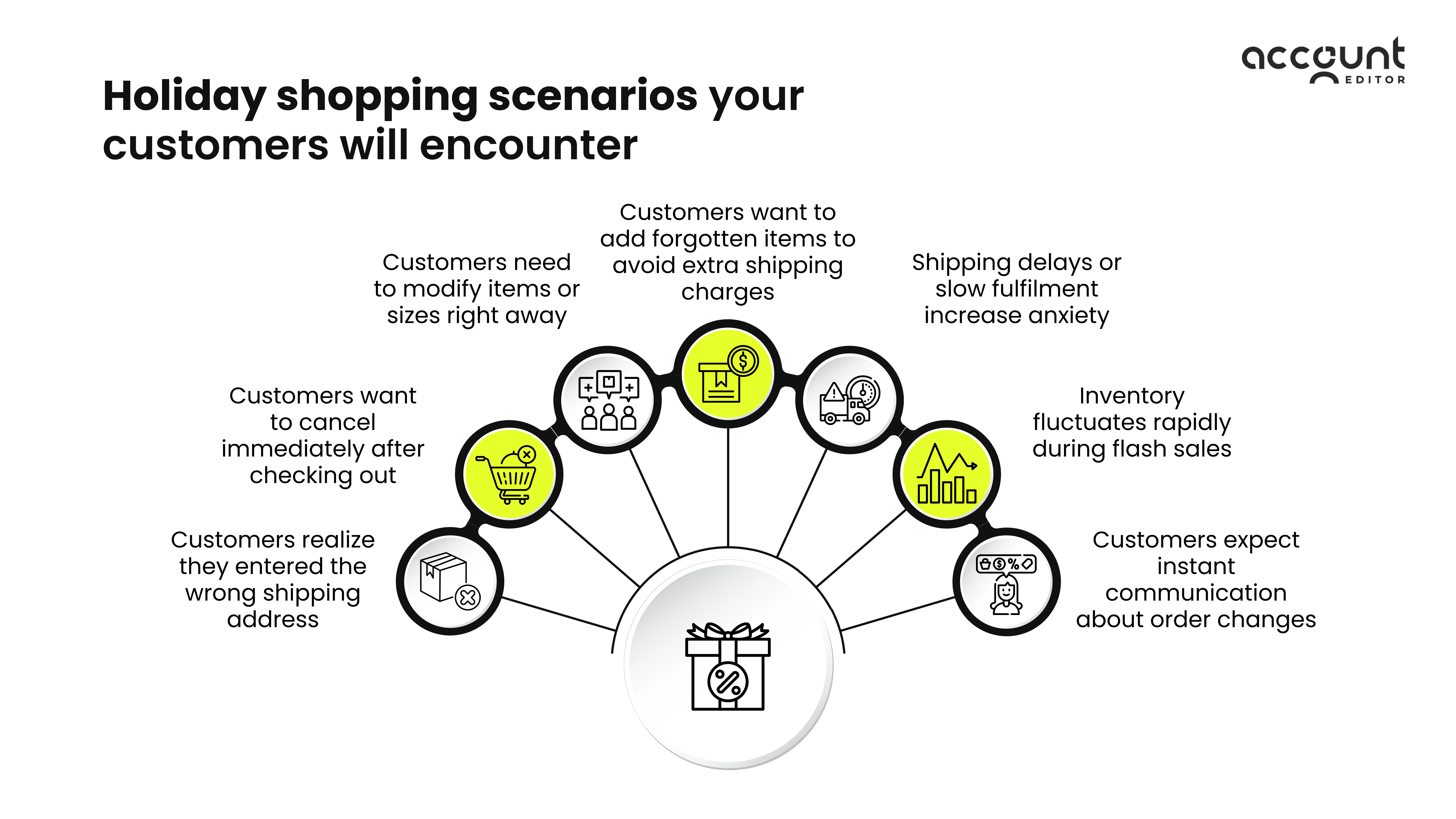
Customers realize they entered the wrong shipping address
During the holiday frenzy, customers rush through checkout. This leads to a surge in needing to change a shipping address immediately after placing an order. Search terms like “Edit shipping address Shopify” and “shopify customer edit order” spike during Q4.
This is the #1 holiday order issue globally. 41% of customers mistype an address at least once per year. 20% of holiday returns happen due to address errors. When a shopper urgently messages, “I need to change my shipping address”, manual workflows can’t keep up. Without self-serve order editing, support ticket queues overflow and orders get shipped incorrectly.
Customers want to cancel immediately after checking out
Impulse buying peaks during the holidays. According to Shopify, 35% of shoppers regret a purchase within 30 minutes. Panic buying, holiday stress, and last-minute decisions create a surge in cancellation requests. However, most cancellations occur because customers can’t fix small mistakes. If shoppers cannot cancel instantly they submit urgent support tickets, chargebacks increase and eventually they abandon the brand for future purchases.
Self-serve editing helps prevent order cancellation with self-serve editing on Shopify by letting customers fix mistakes. If customers can solve their issue, they won’t cancel.
Customers need to modify items or sizes right away
Holiday gifting means shoppers are moving fast and mistakes happen even faster. The most common issue? Ordering the wrong size, color, or variant. Apparel, footwear, accessories, and customizable products see a major spike in post-purchase change requests during Q4. Without self-serve order editing, these simple corrections turn into urgent support tickets, slowing your team down at the exact moment volume is at its peak.
Allowing shoppers to update sizes, swap variants, or adjust quantities immediately after checkout prevents unnecessary cancellations and saves fulfilment from shipping the wrong item. A self serve order editing app gives customers an instant, self-service way to fix variant mistakes on their own thus protecting revenue, reducing returns, and keeping operations moving during the busiest shopping weeks of the year.
Customers want to add forgotten items to avoid extra shipping charges
Holiday shoppers often realize they missed an item right after checkout and don’t want to place a second order or pay shipping twice. When they can’t add items to an existing order, they quickly reach out to support or cancel the original order altogether.
With self-serve order editing, shoppers can instantly add an additional item to an order on their own. Tools like Account Editor turn these moments into extra revenue, reduce duplicate shipments, and prevent a flood of avoidable support requests during peak season.
Shipping delays or slow fulfilment increase anxiety
Due to peak volume carriers slow down, fulfillment centers get backed up, cutoff times change, communication delays spike. This leads to overwhelming numbers of WISMO tickets.
With self-serve order editing, customers can upgrade to express shipping, update delivery preferences and edit details without waiting for support. This is one of the most effective ways to reduce WISMO tickets during holidays.
Inventory fluctuates rapidly during flash sales
Holiday flash sales create backorders, stockouts, preorder confusion, incorrect availability info. When products go out of stock mid-campaign, customers want to quickly remove an item, swap with an available variant, change quantity.
When shoppers cannot adjust their orders, cancellations and refunds skyrocket.
Self-service editing enables customers to swap out-of-stock items, choose different variants and adjust quantities. A Shopify order editing app gives shoppers a safe way to adjust without cancelling.
Customers expect instant communication about order changes
During the holidays, shoppers move fast and they expect brands to move just as quickly. When a customer updates their address, adds an item, or cancels an order, they want immediate confirmation that the change went through. Any delay creates anxiety, leading to “Did my update work?” messages that overwhelm support teams already dealing with peak-season volume.
This is where automated, real-time notifications become essential. With self-serve order editing tools, customers receive instant email updates for every change they make: address edits, item swaps, upsell additions, cancellations, or pending payments. Transparent communication reassures customers, reduces WISMO tickets, and builds trust at a time when timely information matters most.
Advantages of self-service order editing
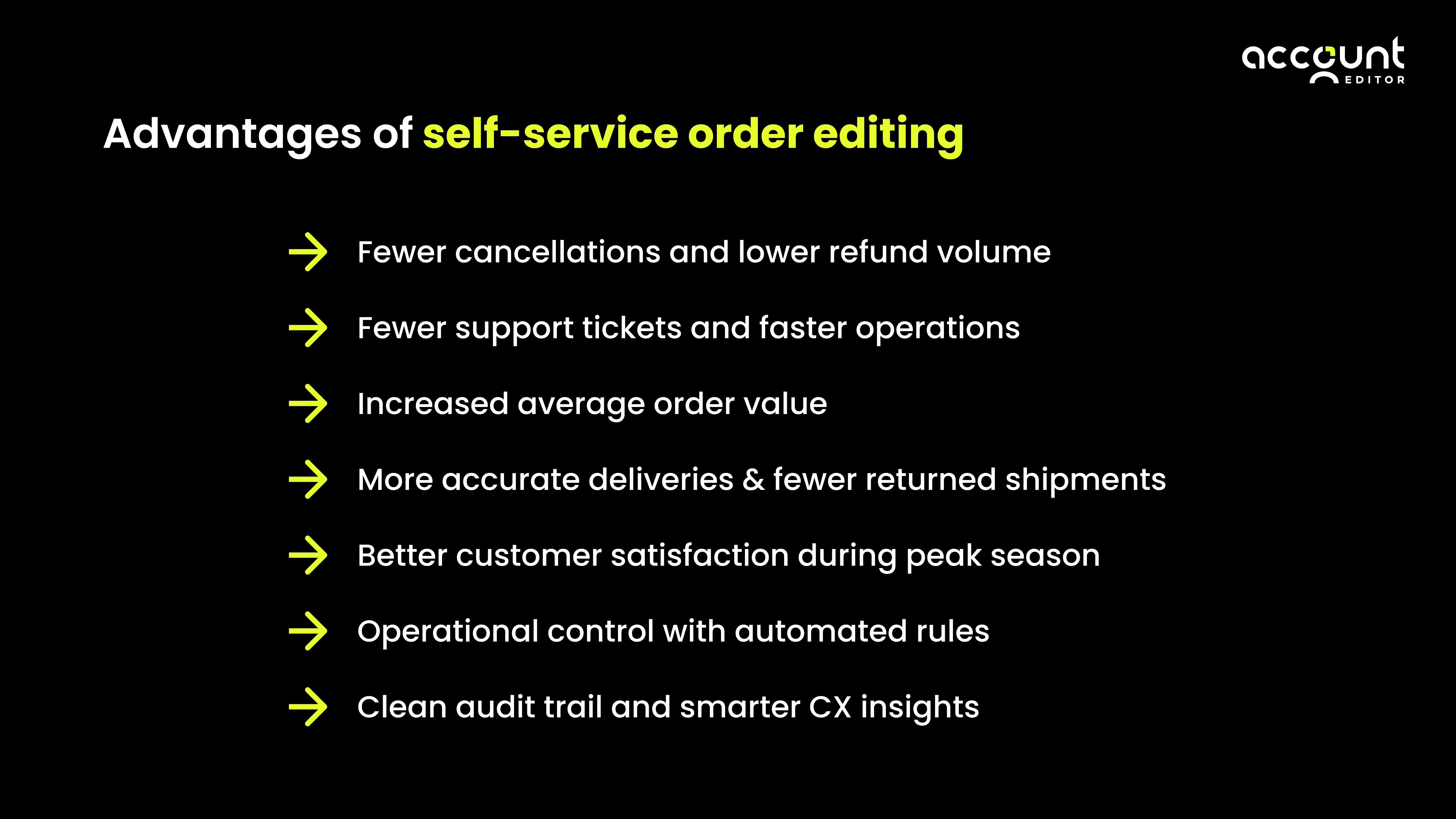
Fewer cancellations and lower refund volume
Most cancellations stem from simple customer mistakes: wrong size, wrong color, wrong address, or forgotten items. When shoppers can fix these errors instantly, they no longer need to cancel the entire order just to correct one detail. This alone eliminates a large portion of preventable refunds during the holiday rush.
Fewer support tickets and faster operations
During peak season, support teams are flooded with urgent requests. The majority are repetitive tasks like address changes, item swaps, and quantity adjustments. Enabling self-service order changes offloads this work directly to customers, dramatically lowering ticket volume.
With fewer micro-requests, your support team can focus on higher-value inquiries and faster resolutions. This leads to shorter response times, better customer satisfaction, and a smoother workflow for operations at the busiest time of year.
Increased average order value
Customers often realize they forgot an accessory or want to qualify for free shipping right after placing an order. If there's no way to add items to an existing order, you lose easy revenue. Allowing shoppers to add products post-purchase unlocks impulse buying opportunities even after checkout. Self-serve upsells and instant item additions convert these moments into higher AOV without disrupting fulfilment.
More accurate deliveries & fewer returned shipments
Wrong addresses are the most expensive operational mistake during the holidays. When customers can update incorrect ZIP codes, apartment numbers, or cities on their own, failed deliveries drop significantly. This prevents costly carrier return fees and the manual work of reshipping.
Real-time address validation ensures customers enter correct, deliverable addresses before fulfilment begins. This leads to cleaner order data, fewer mistakes, and a smoother fulfilment flow, even under peak pressure.
Better customer satisfaction during peak season
Shoppers expect brands to match the speed and flexibility of major marketplaces. Allowing instant changes gives customers peace of mind, especially during the holidays when delivery timelines matter most. They get quick resolutions without waiting on support.
This improved experience directly increases trust, reduces frustration, and boosts repeat purchase rates. When customers feel in control of their order, they feel more confident in your brand and more willing to shop with you again.
Operational control with automated rules
Merchants often worry that allowing customer edits may disrupt fulfilment. But with the right tool, you stay in full control. Features like edit windows, SKU-level restrictions, order holds, and automatic reversion of unpaid edits keep operations safe and predictable.
Clean audit trail and smarter CX insights
Every edit, update, and cancellation reason is automatically logged. This gives your team full visibility into what customers are changing and why. Over time, these patterns reveal insights into product issues, support trends, and customer behavior. It helps brands learn from real customer actions to refine their post-purchase strategy for future peak seasons.
To explore the benefits in greater depth, take a look at our full guide on the same.
Better experience → fewer cancellations → higher revenue → happier customers. That’s real ecommerce holiday readiness.
How to implement self-service editing
A strong self-service order editing setup needs two things: an intuitive customer interface and robust admin controls. Customers should instantly see what they can edit, like changing sizes or variants, updating quantities, removing or adding an additional item to an order, correcting a shipping address, or cancelling an order directly from their Order Status Page.
Behind the scenes, merchants must be able to define the rules: how long customers can make changes, which orders are allowed, and which products are restricted (e.g., tagged as “final sale”). This protects against misuse while still giving shoppers the flexibility they expect.
Account Editor’s Customer Portal is built exactly for this. It provides a clean, easy-to-use experience for customers and powerful control for merchants, ensuring edits happen quickly, safely, and without involving customer support.
Conclusion
Most holiday order issues happen after checkout, not before it. Stores that ignore the post-purchase experience lose revenue, increase cancellations, overload their support teams and damage customer trust.
By enabling Shopify self service order editing, you’re building a readiness store equipped to handle real holiday behavior.
This holiday season, empower your customers, protect your operations, and reduce chaos by enabling Shopify app to allow customers to edit orders after checkout